
AI Gender Swap
Results
Upload a portrait, choose a feminine, masculine, or androgynous look, and get a creative AI version that still looks like you.
AI Gender Swap – Feminine, Masculine or Androgynous Portrait Looks
FEATURES
Our AI gender swap filter re-renders a portrait with the look you pick — feminine, masculine, or androgynous. Upload a photo, choose the direction yourself, and compare the result against your original side by side.
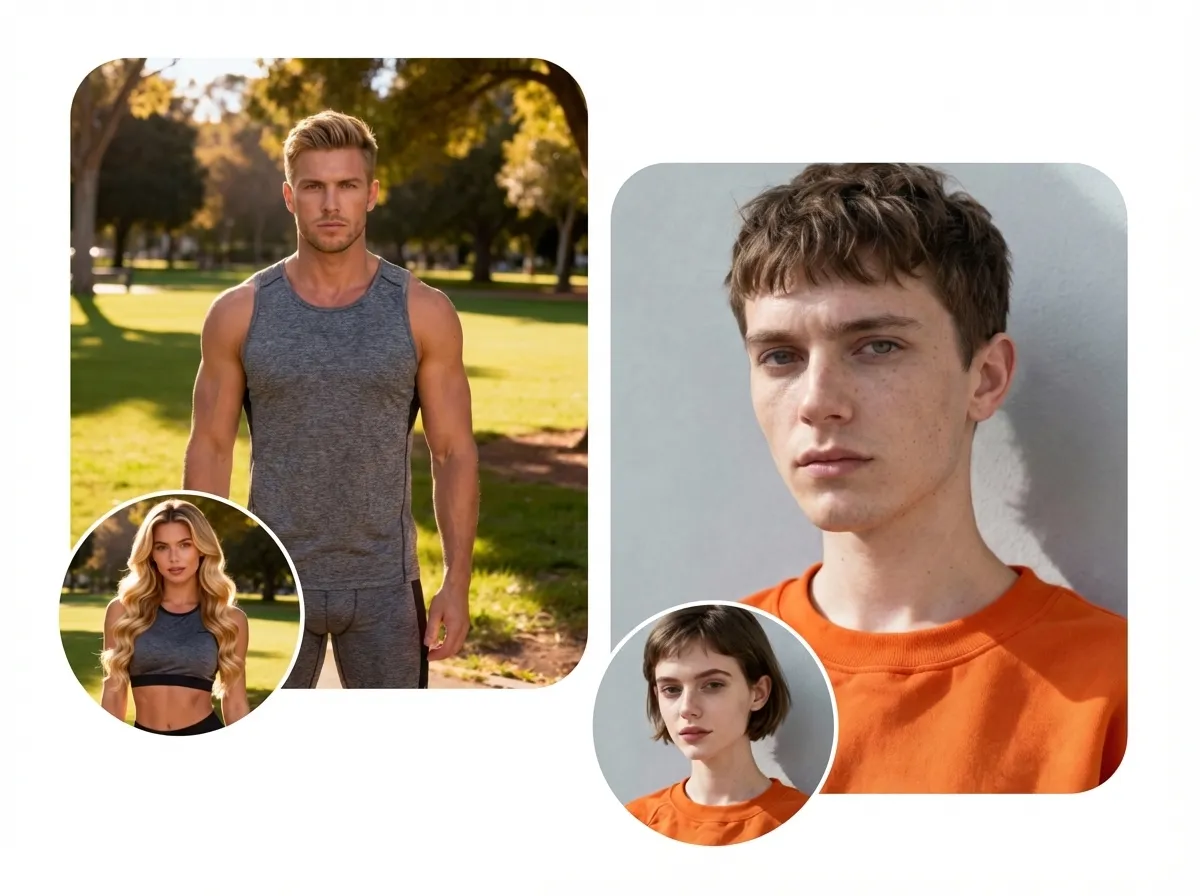
- The AI gender swap generator never guesses or labels your gender. You pick the target look — Feminine, Masculine, or Androgynous — and that choice is what drives the result.
- The AI gender swap filter adjusts jawline, brow, skin texture, and hairstyle to match the look you selected, aiming for a natural result rather than an exaggerated or stereotyped one.
- The AI gender swap photo editor tries to hold on to your age, ethnicity, eye colour, expression, pose, lighting, and background, changing only what the target look requires. Results still vary from photo to photo.
- Every result comes with a side-by-side comparison against your original, so you can judge for yourself how close it stayed — instead of taking our word for it.
- Run the same photo through a male-to-female look, a female-to-male look, or a gender-neutral one. Switching targets does not require re-uploading your photo.
- Export your AI gender swap images in the resolutions and formats the selected model supports. The credit cost is shown before you generate, never after.
AI Gender Swap Before & After Showcase
SHOWCASES
Examples of the AI gender swap filter applied to everyday portraits. Every result is an AI-generated creative portrait, and results vary between photos.
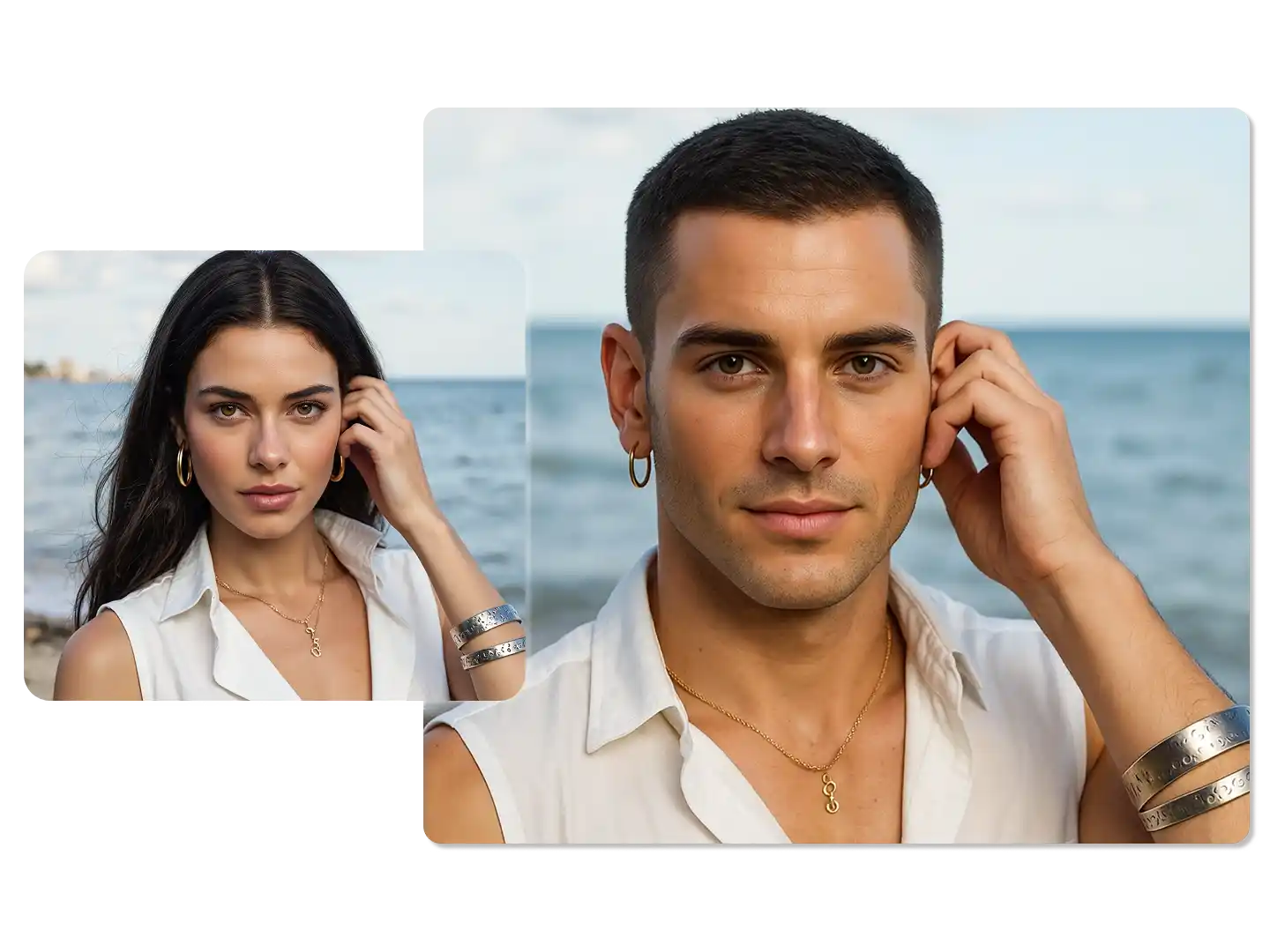
Female to Male – Studio Portrait
A clean studio portrait rendered with a masculine target look. The jawline, hairstyle, and skin texture shift while the age, ethnicity, expression, and studio lighting are kept.
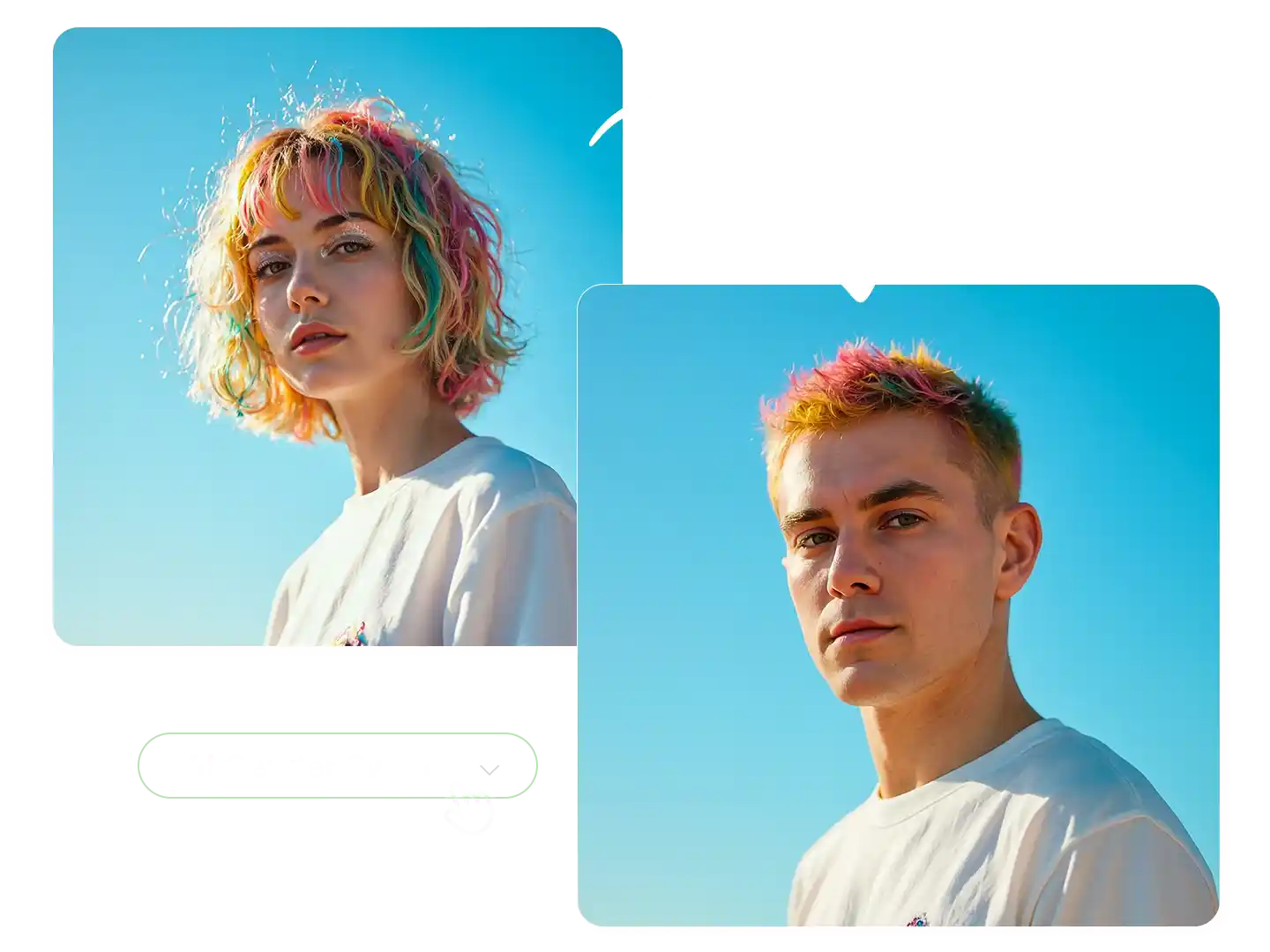
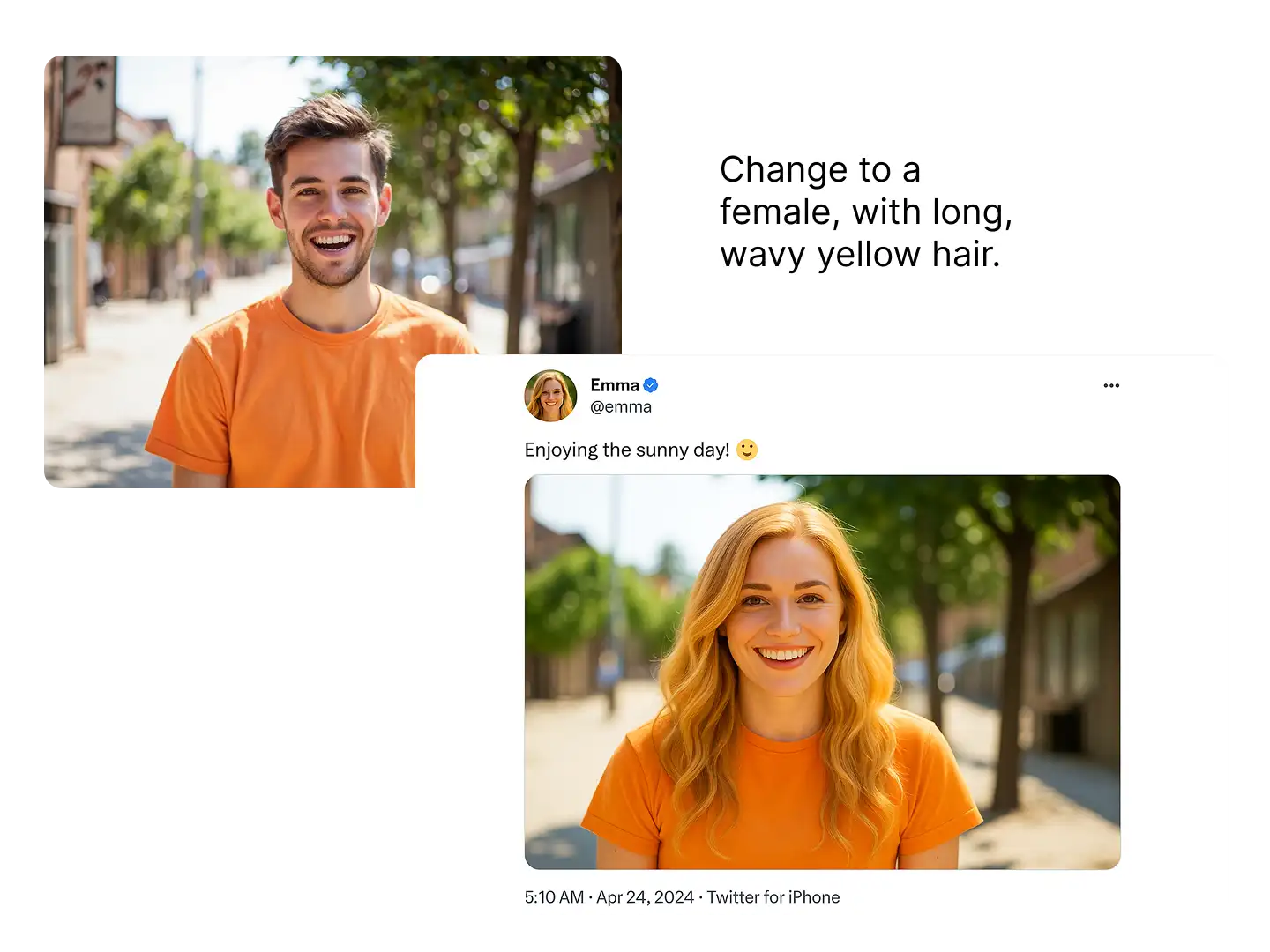
Male to Female – Casual Selfie
A casual outdoor selfie rendered with a feminine target look — same outfit silhouette, same background, same relaxed expression.
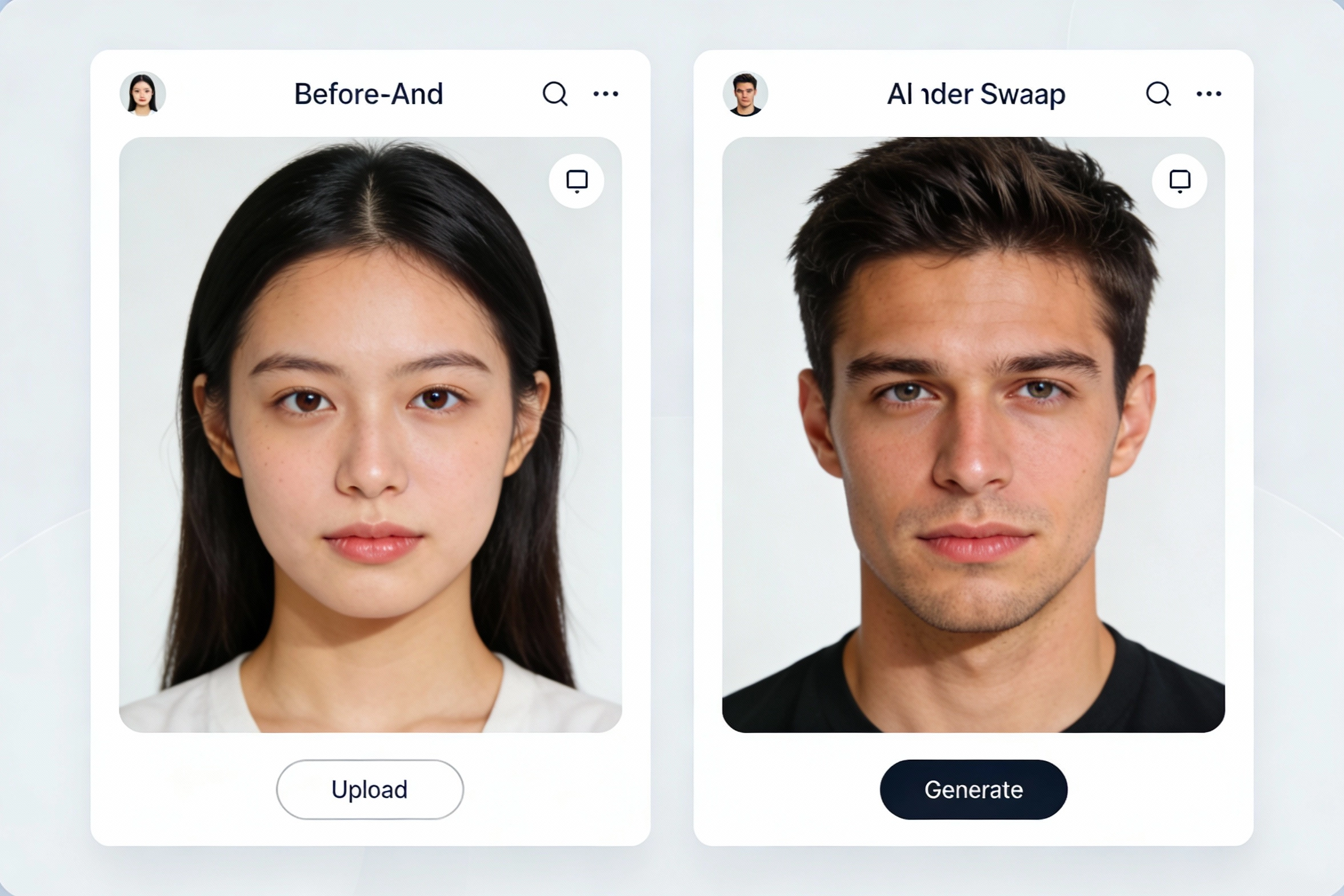
Professional Headshot
A business headshot run through the AI gender swap filter. The blazer, office background, and posture stay in place while the face is re-rendered toward the selected look.
Creative Social Portrait
A streetwear portrait re-rendered for a profile picture or character concept. Golden-hour light and outfit silhouette are preserved; the face follows the target look you pick.
More AI Image Generators for Every Creative Idea
Unleash Creativity With Createimg.ai AI Image Generators
Explore a variety of AI image generators tailored to different creative needs. Whether you want to design shirts, make fun emojis, or create unique posters, these tools make it easy to bring every idea to life.
AI Gender Swap
AI Meme Generator
AI Ad Generator
Wedding AI Photo Generator

AI Food Generator
Text To Image
Image To Image
AI Thumbnail Generator
AI Sticker Generator
AI Age Progression
Explore Cutting-Edge AI Models
AI Models — Powerful Image & Video Generation Tools
Explore advanced AI models for high-quality image and video creation. Discover powerful generation and editing technologies that enhance your creative workflow and bring your visual ideas to life with ease.









How to Use the AI Gender Swap Generator
HOW TO USE
Create an AI gender swap portrait in three steps — no prompt writing required.
Upload Your Photo
Upload one clear, well-lit portrait of an adult you have permission to edit, with the face visible and facing the camera. JPG and PNG are supported.
Choose Your Target Look
Pick Feminine, Masculine, or Androgynous. Nothing else is required — the optional instructions box is only there if you want to keep the glasses, change the hair, or adjust the background.
Generate & Compare
Generate, then compare the result with your original side by side. Download it, or try a different look on the same photo without uploading again.
AI Gender Swap FAQs
FAQs
Answers to the most common questions about our AI gender swap filter, photo editor, and generator — how it works, what it does not do, and which photos you can upload.
What is AI gender swap?
AI gender swap is a creative photo effect that re-renders the person in a portrait with a different visual presentation — feminine, masculine, or androgynous. It is an artistic transformation, not an assessment of anyone's gender identity or a prediction of real-world transition results.
Can I choose male-to-female or female-to-male?
Yes, and you always do. The AI gender swap generator asks you to pick a target look before generating: Feminine for a male-to-female style result, Masculine for female-to-male, or Androgynous for a gender-neutral one. The AI does not detect or assume your gender.
How does the AI gender swap photo editor work?
Upload one clear portrait, pick the target look, and optionally add instructions such as "keep the glasses" or "short wavy hair". The AI gender swap photo editor then re-renders the face and hair toward the look you selected while trying to keep the pose, outfit, lighting, and background intact.
Is the AI gender swap filter free?
New users get free credits to try it. After that, each generation spends credits — the exact amount is shown on the generate button before you click, and it depends on the model and resolution you choose.
Will the result still look like me?
That is the goal, and the before/after comparison lets you check it every time. The AI aims to preserve your facial structure, age, ethnicity, expression, and background, but generated results vary — some photos come out closer than others, and you can retry with a different look or a clearer photo.
Can I use the AI gender swap generator on group photos?
No. This tool is built for one clearly visible face per photo. Group shots produce unreliable results because there is no way to say which person should be transformed — crop to a single portrait first.
Whose photos am I allowed to upload?
Only photos of yourself, or of adults who gave you explicit permission. Do not upload photos of other people without their consent, and do not use this tool to impersonate, deceive, harass, or sexualise anyone. See our Terms of Service for the full rules.
What happens to my photo?
Your upload is sent to the AI provider that generates the image, and the result is saved to your account history where you can hide it at any time. See our Privacy Policy for how uploads and generated images are handled.
What kinds of photos work best?
A clear, well-lit portrait where the face is unobstructed and facing the camera. Selfies, headshots, and passport-style photos all work well. Heavy filters, sunglasses, extreme angles, motion blur, and low light all reduce the quality of the result.
Can I use the AI gender swap images commercially?
Review our Terms of Service before any commercial use — what you may do with a generated image also depends on the rights you hold in the photo you uploaded.
Powered By


Try a New Look From One Photo
Upload a portrait, pick the look you want to explore, and compare the AI result against your original. The credit cost is shown before you generate.