
AI Image Colorizer
Results
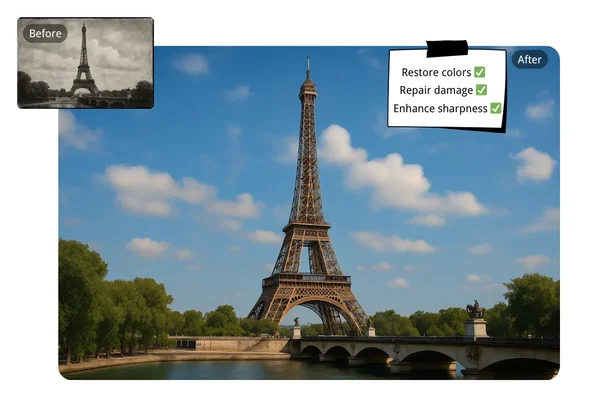
Transform black and white photos with AI Photo Colorizer. Convert old images to vibrant colors instantly. Sign up for free, watermark-free downloads!
AI Image Colorizer – Bring Black and White Photos to Life with Color
FEATURES
Turn grayscale photographs into vivid, full-color images with our AI image colorizer. From vintage family portraits to manga panels and anime sketches, the AI applies historically accurate, natural-looking colors in seconds.
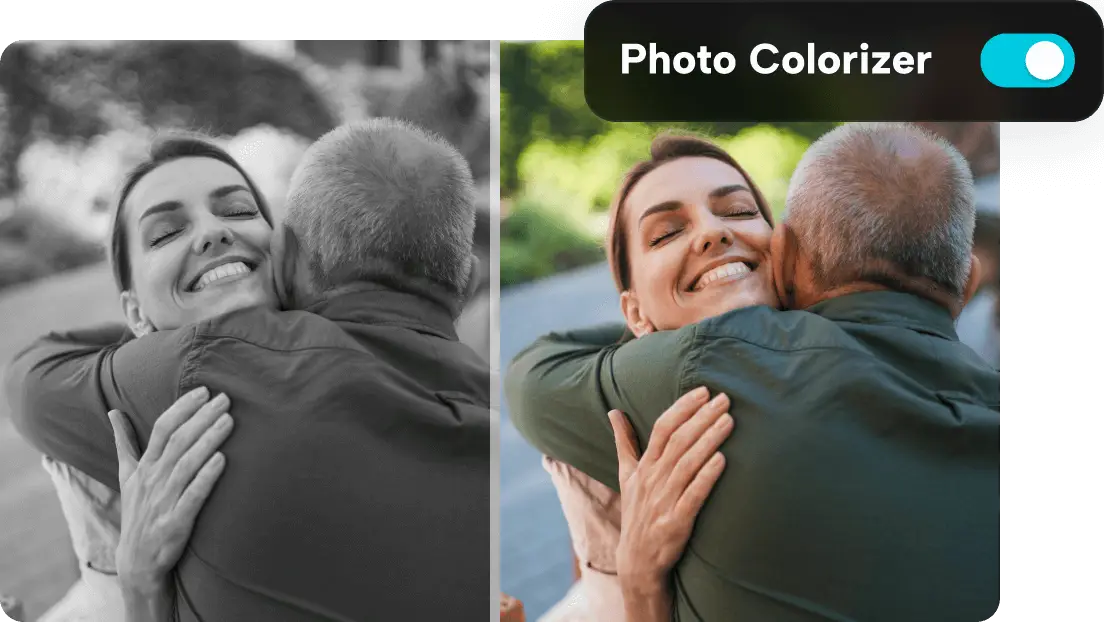
- Upload any grayscale or black and white photo and let the AI image colorizer automatically detect objects, skin tones, clothing, and scenery to apply realistic, natural colors — no manual selection or editing required.
- Breathe new life into old family photos, archival images, and historical prints. The AI image colorizer applies era-appropriate colors to vintage photographs while preserving every original detail and texture.
- Transform black and white manga pages into full-color artwork. Our AI image colorizer manga mode recognizes line art, shading, and panel layouts to apply vibrant, style-consistent colors that respect the original artistic intent.
- Turn grayscale anime illustrations and sketches into polished, colorful artwork. The AI image colorizer anime feature applies cel-shading, vivid palettes, and character-appropriate colors that match professional anime production quality.
- Get crisp, detailed colorized images at resolutions up to 4K. Every color transition, texture detail, and subtle gradient is rendered with precision — perfect for printing, framing, or sharing on social media.
- Colorize photos directly in your browser with zero setup. Our AI image colorizer requires no downloads, no account creation, and no design skills. Upload, colorize, and download — free credits included for new users.
AI Image Colorizer Showcase – See the Transformation
SHOWCASES
See how the AI image colorizer transforms grayscale photos, vintage prints, manga panels, and anime sketches into stunning full-color images.
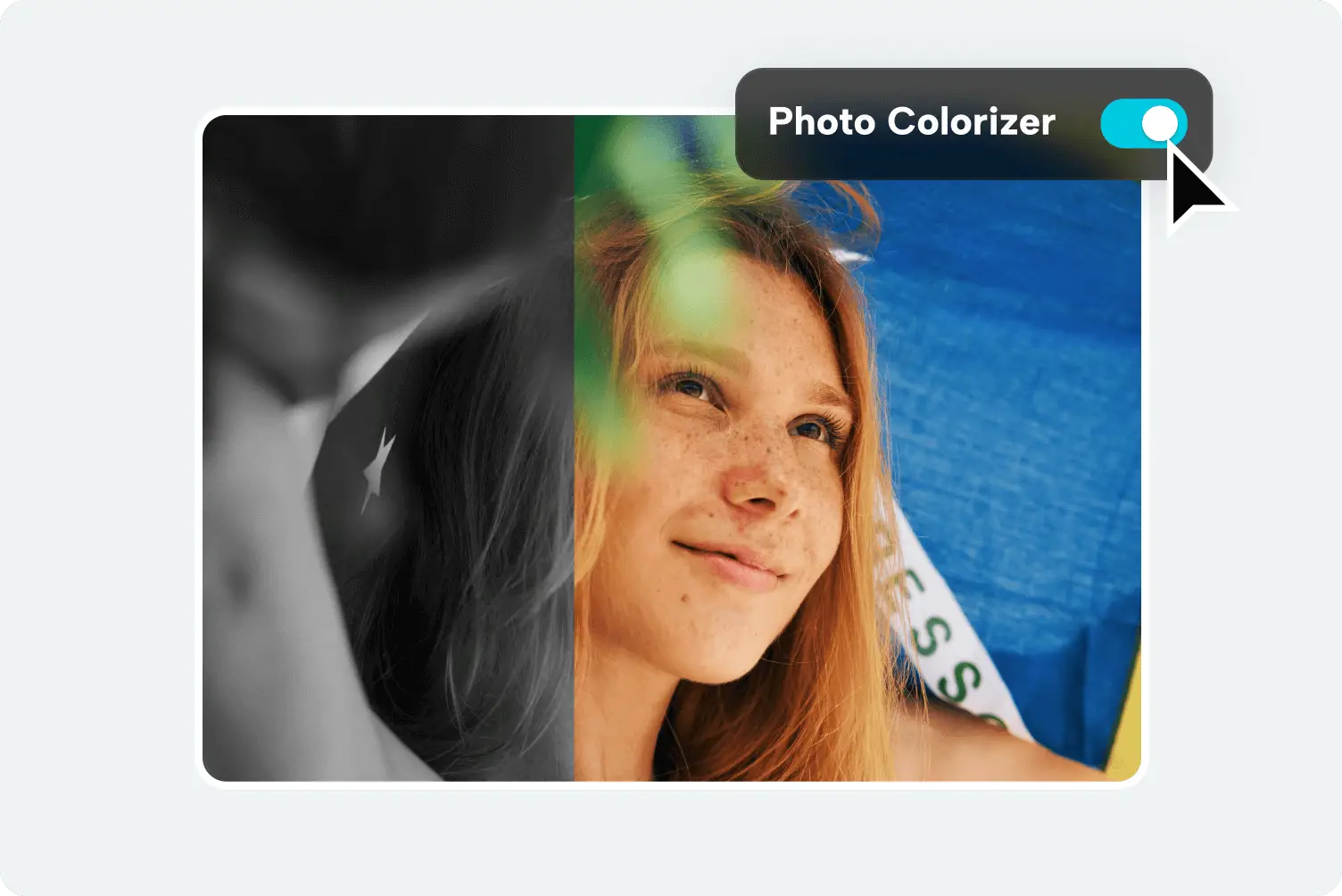
Vintage Portrait Colorization
Transform old black and white family portraits into warm, lifelike color photographs. The AI image colorizer applies natural skin tones, clothing colors, and background hues that bring vintage memories to life.
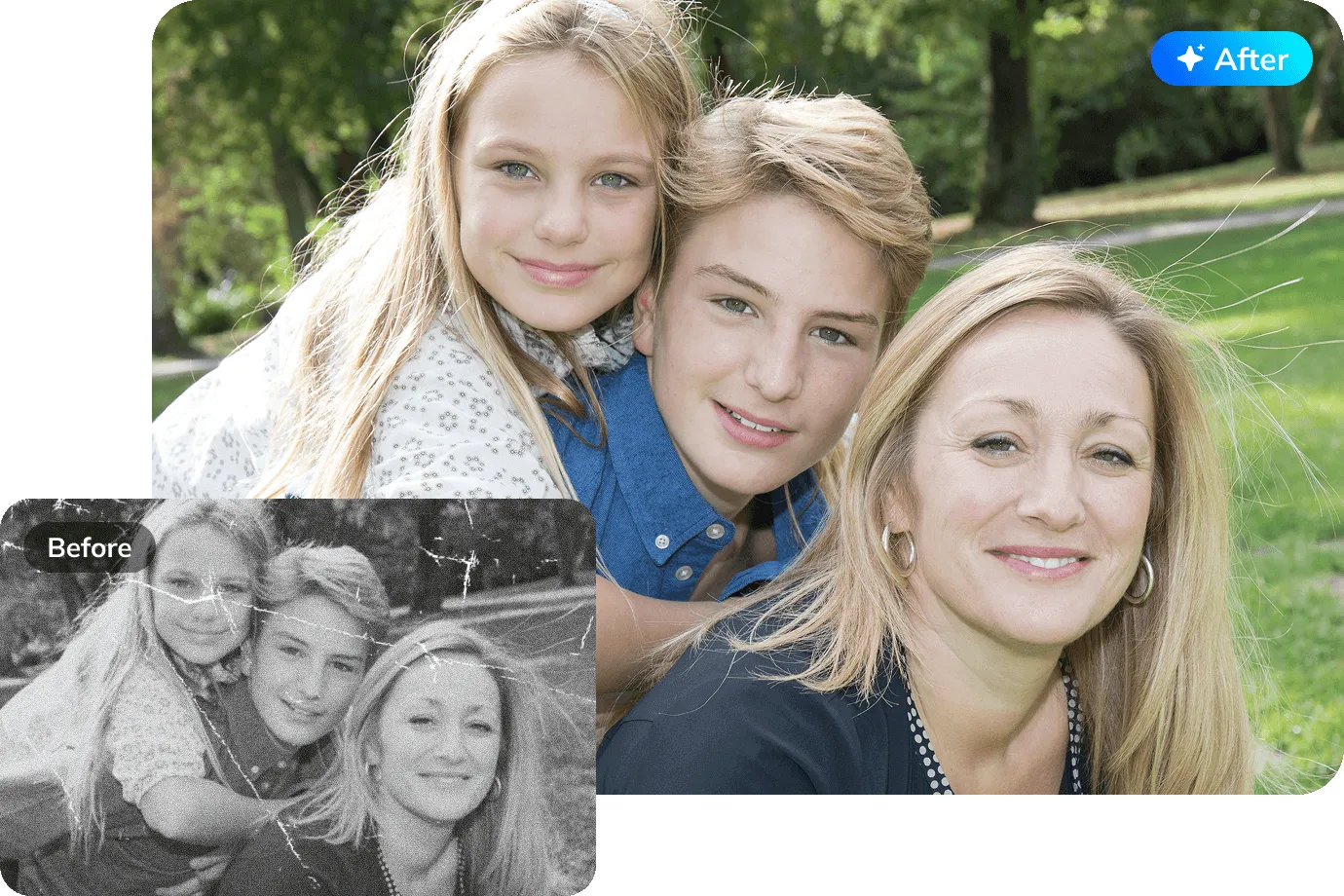
Historical Photo Colorization
Add vivid, era-accurate colors to historical photographs and archival images. From city streets to landscapes, the AI image colorizer reconstructs realistic colors based on contextual analysis.
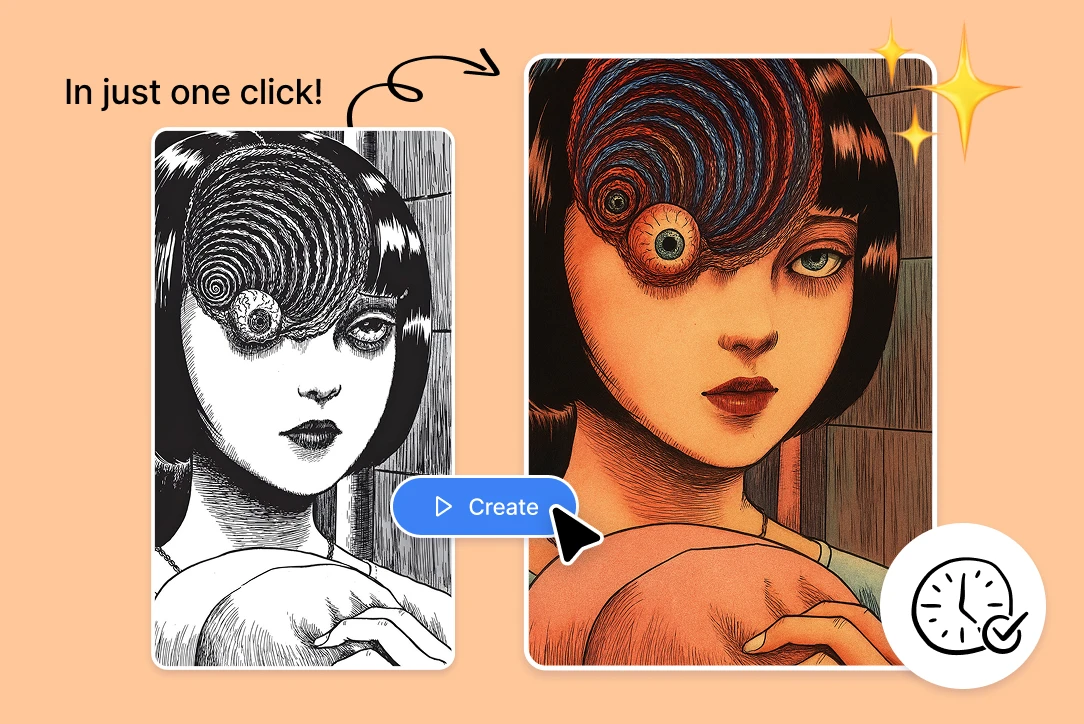
Manga Page Colorization
Turn black and white manga pages into vibrant, full-color artwork. The AI image colorizer manga feature preserves linework, panel structure, and shading while adding rich, style-consistent colors.
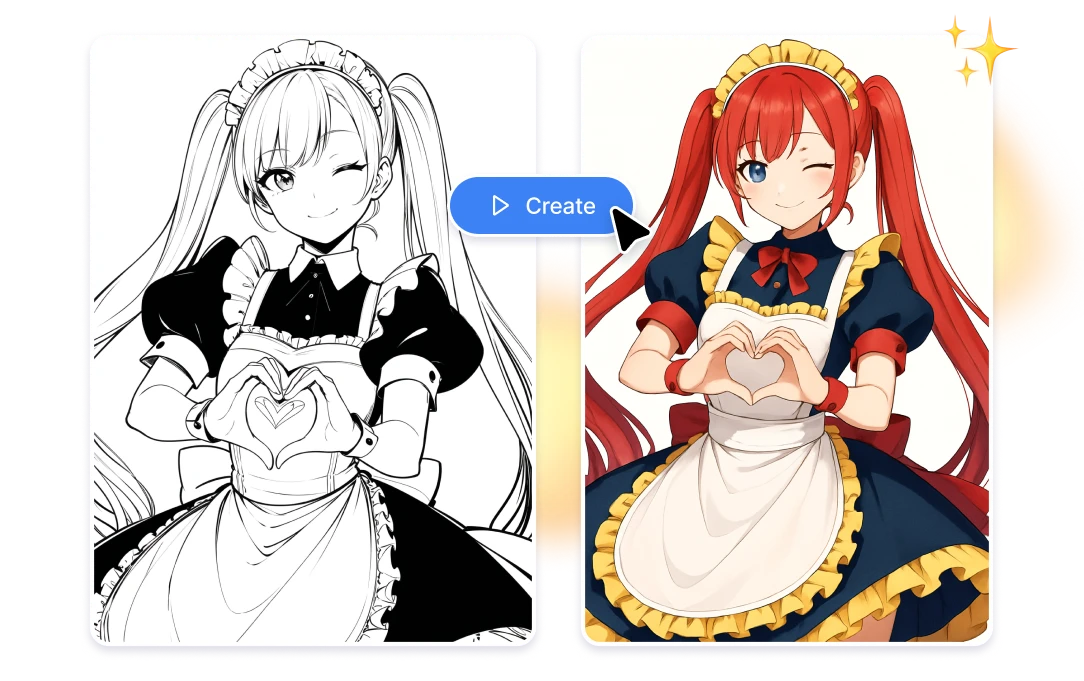
Anime Sketch Colorization
Transform grayscale anime sketches and illustrations into polished, colorful artwork. The AI image colorizer anime mode applies cel-shading, vivid palettes, and professional-grade coloring.
More AI Image Generators for Every Creative Idea
Unleash Creativity With Createimg.ai AI Image Generators
Explore a variety of AI image generators tailored to different creative needs. Whether you want to design shirts, make fun emojis, or create unique posters, these tools make it easy to bring every idea to life.
AI Gender Swap
AI Meme Generator
AI Ad Generator
Wedding AI Photo Generator
AI Food Generator
Text To Image
Image To Image

AI Thumbnail Generator
AI Sticker Generator
AI Age Progression
Explore Cutting-Edge AI Models
AI Models — Powerful Image & Video Generation Tools
Explore advanced AI models for high-quality image and video creation. Discover powerful generation and editing technologies that enhance your creative workflow and bring your visual ideas to life with ease.








How to Use the AI Image Colorizer Online
HOW TO USE
Add color to any black and white image in three simple steps. No registration, no design software — just upload and let our AI image colorizer do the work.
Upload Your Black and White Image
Select any grayscale photo, vintage print, manga page, or anime sketch from your device. The AI image colorizer accepts all common image formats including JPG, PNG, and WebP.
Choose Resolution and Output Format
Pick your desired output resolution (1K, 2K, or 4K) and format (PNG or JPG). Select an aspect ratio if needed, then click Colorize to start the AI color transformation.
Download Your Colorized Image
Preview the colorized result, compare it with the original, and download in high resolution. Use it for printing, sharing, digital art collections, or restoring precious family memories.
AI Image Colorizer FAQ – Your Questions Answered
FAQs
Everything you need to know about our AI image colorizer — how it works, what image types it supports, and how to get the best colorization results.
What is an AI image colorizer?
An AI image colorizer is an online tool that uses artificial intelligence to automatically add realistic colors to black and white or grayscale images. It analyzes the content of each photo — people, objects, landscapes, clothing — and applies contextually accurate colors without any manual editing.
Is the AI image colorizer free to use?
Yes. New users receive free credits to start colorizing photos immediately. Each colorization uses credits based on the output resolution you choose (1K, 2K, or 4K). Additional credits can be purchased anytime for continued use.
Can I colorize manga and comic book pages?
Yes. Our AI image colorizer manga feature is designed to handle line art, panel layouts, and shading styles typical of manga and comics. It applies vibrant, style-appropriate colors while preserving the original artwork's linework and composition.
Does it work on anime sketches and illustrations?
Absolutely. The AI image colorizer anime mode recognizes anime-style character features, cel-shading patterns, and illustration techniques to produce colorized results that match professional anime production aesthetics.
How accurate are the colors on old photographs?
The AI analyzes contextual cues — skin tones, sky, vegetation, fabrics, objects — to apply historically plausible and natural-looking colors. While perfect historical accuracy cannot be guaranteed, the results are highly realistic and consistent.
What types of images can I colorize?
You can colorize virtually any grayscale image: old family photos, historical prints, scanned documents, manga pages, anime sketches, pencil drawings, film stills, and more. The AI adapts its colorization approach based on the image content.
What output formats and resolutions are available?
Download your colorized images in PNG for lossless quality or JPG for smaller file sizes. Choose from three resolution tiers: 1K for quick previews, 2K for detailed output, and 4K for maximum quality prints and displays.
Will the colorization look natural and seamless?
Yes. The AI applies smooth color transitions with no visible bleeding, banding, or artifacts. Skin tones look natural, skies are believable, and fabric colors are consistent — the result looks like an authentic color photograph.
How long does colorization take?
Most images are colorized within 10–30 seconds depending on the chosen resolution. Higher resolutions like 4K take slightly longer as the AI performs more detailed color analysis and rendering.
Do I need to download any software?
No. Our AI image colorizer runs entirely in your browser — no downloads, no installations, no account required to get started. Just upload your black and white image, colorize, and download the result.
Powered By


Turn Any Black and White Photo into Vibrant Color
Old family photos, manga pages, anime sketches — our free AI image colorizer brings them all to life with natural, vivid colors. No editing skills needed, just upload and colorize.