
AI Skinny Filter
Results
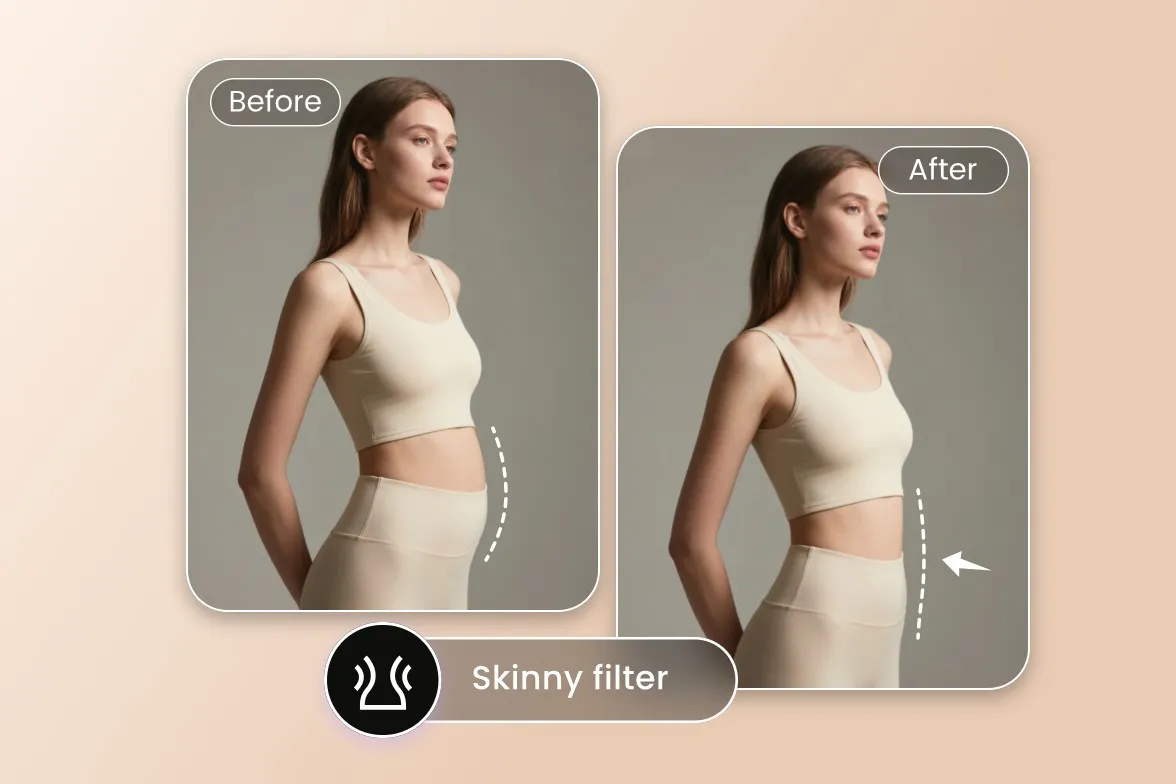
Skinny Filter subtly slims your photos in seconds, creating a sleek finish. This photo effect is perfect for getting a realistic, slimmer portrait.
AI Skinny Filter – Slim Your Photos for a Sleek, Natural Look
FEATURES
Our AI skinny filter online subtly slims your photos in seconds, producing a realistic, flattering portrait. Upload any photo and let the AI deliver a sleek finish without losing the natural look of your face, clothing, or background.
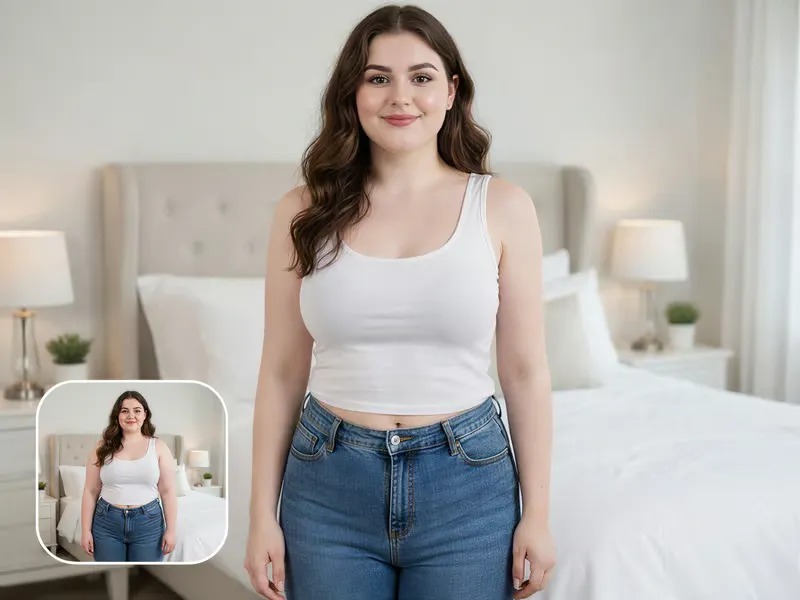
- The AI skinny filter applies a subtle, believable body-slimming effect — trimming the waistline, arms, and silhouette without warping faces, clothing, or backgrounds. The result looks like a naturally slimmer version of you, not a distorted edit.
- Use our AI skinny filter online directly in the browser. No downloads, no mobile app, no registration — upload your photo on desktop or phone and get a sleek, slimmer portrait in seconds.
- Unlike basic slim filters, our AI keeps your facial features, expression, hair, skin tone, and outfit exactly as they are. Backgrounds stay sharp and undistorted so the photo still looks authentic.
- No sliders, no manual editing, no Photoshop skills required. Just upload your photo, click generate, and the AI skinny filter does the work — perfect for users who want a polished result instantly.
- Works beautifully on selfies, portraits, group photos, and full-body shots. Whether you are preparing content for social media, dating apps, or personal memories, the skinny filter delivers a consistent, flattering look.
- Export your slimmed photos in 1K, 2K, or 4K with PNG or JPG support. The output stays crisp and natural, ready to share on Instagram, TikTok, profile pictures, or print.
AI Skinny Filter Before & After Showcase
SHOWCASES
See how the AI skinny filter online transforms everyday photos into sleek, flattering portraits — always natural, never distorted.
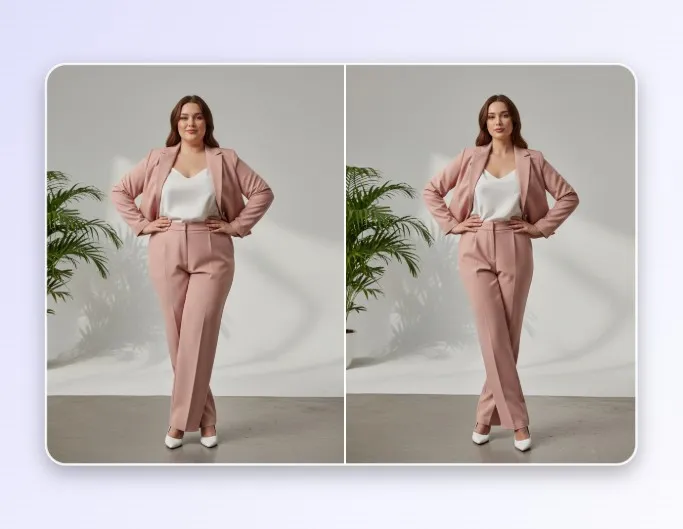
Full-Body Portrait – Natural Slimming
A full-body portrait before and after the AI skinny filter. The waistline and silhouette are subtly refined while facial features, outfit, and background remain untouched.
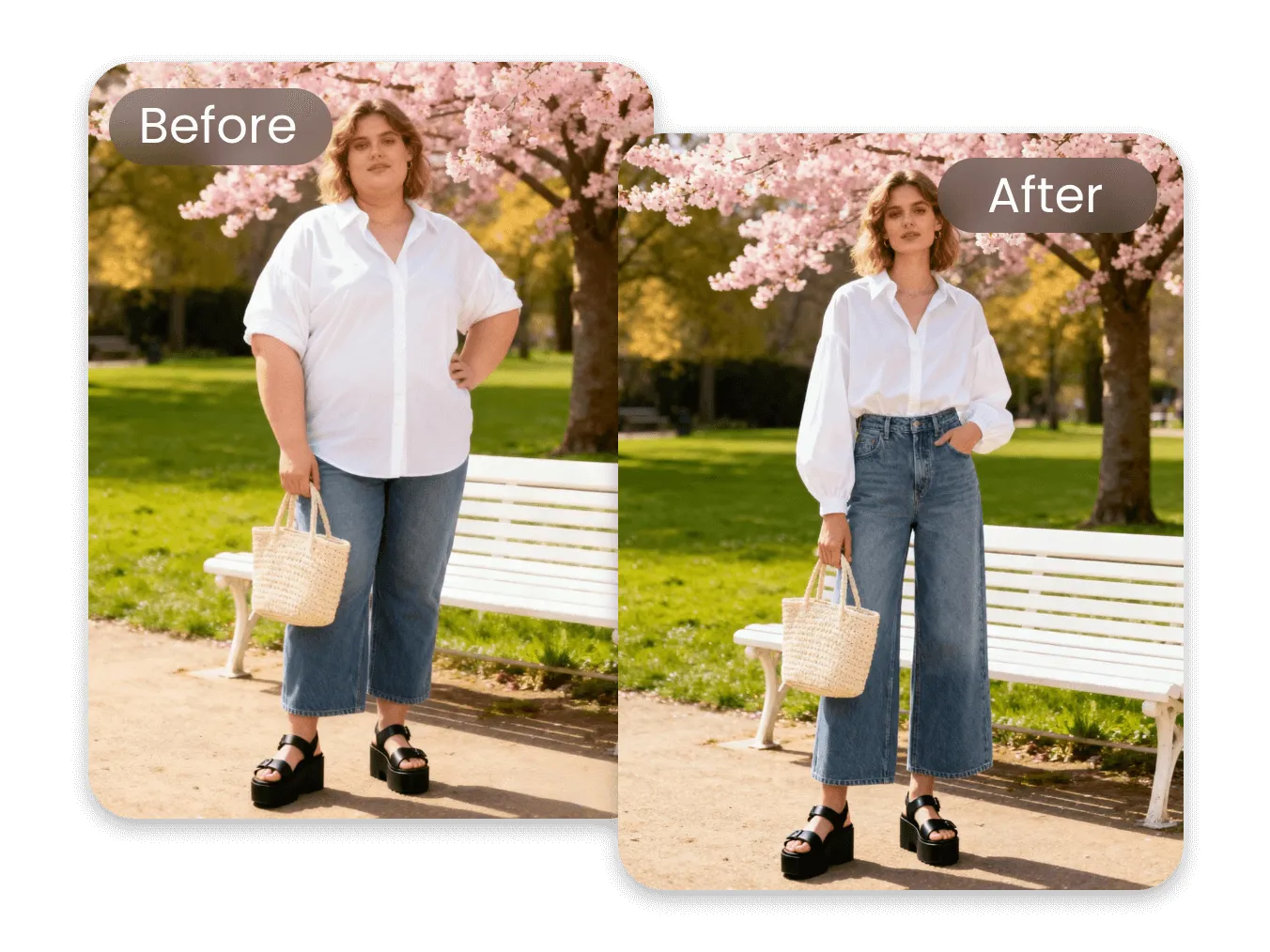
Casual Selfie – Sleek Social-Ready Look
A casual mirror selfie processed by the AI skinny filter online. The result is subtly sleeker and more flattering while keeping the exact same face, clothing, and room.
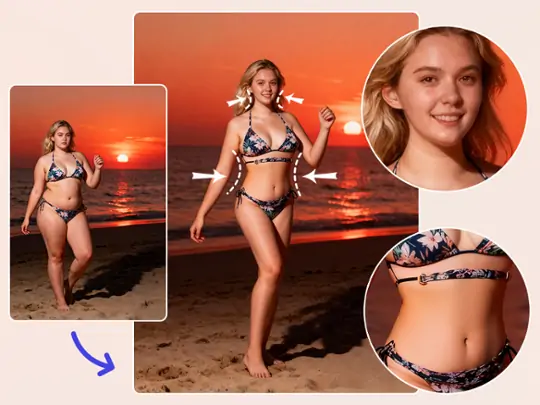
Beach Photo – Flattering Vacation Shot
A vacation beach photo enhanced with the AI skinny filter. Swimwear, tan lines, ocean, and sand are all preserved — only the silhouette is gently refined.
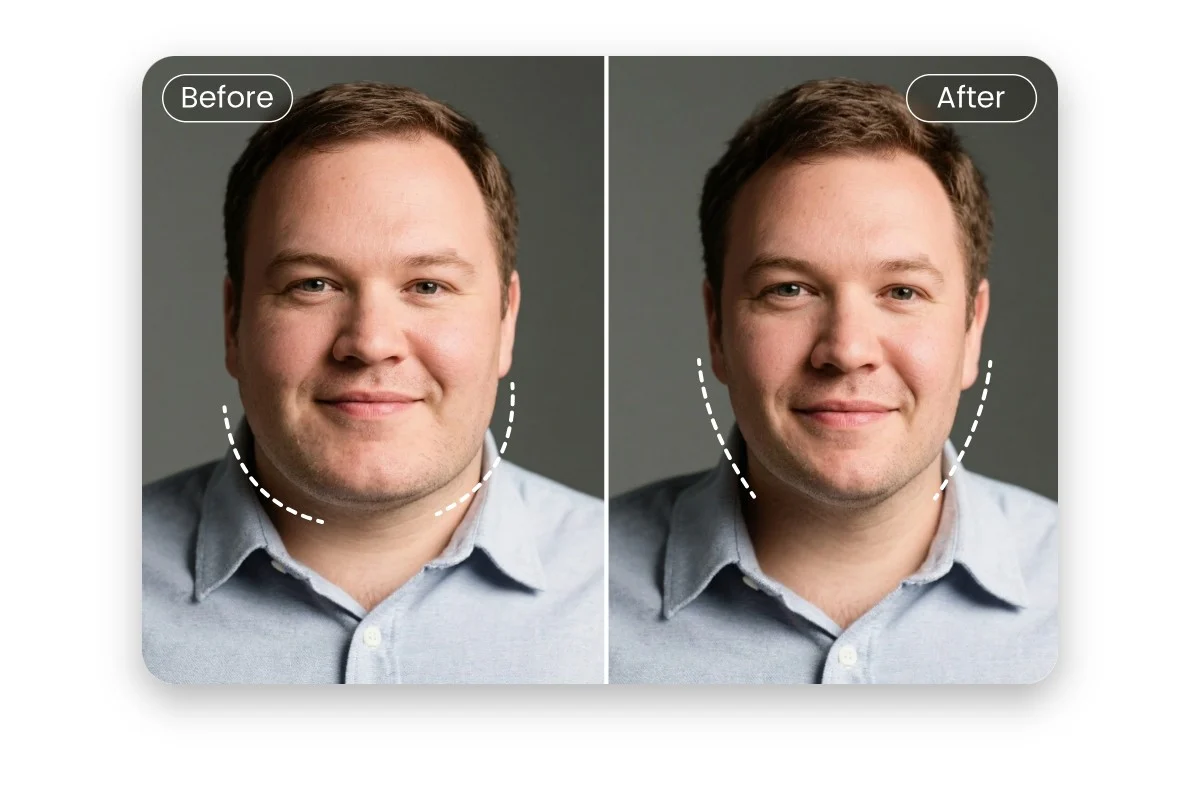
Professional Portrait – Polished Profile Picture
A professional headshot-style portrait refined with the AI skinny filter online. The result is sleek and polished, ideal for LinkedIn profiles, resumes, and business sites.
More AI Image Generators for Every Creative Idea
Unleash Creativity With Createimg.ai AI Image Generators
Explore a variety of AI image generators tailored to different creative needs. Whether you want to design shirts, make fun emojis, or create unique posters, these tools make it easy to bring every idea to life.
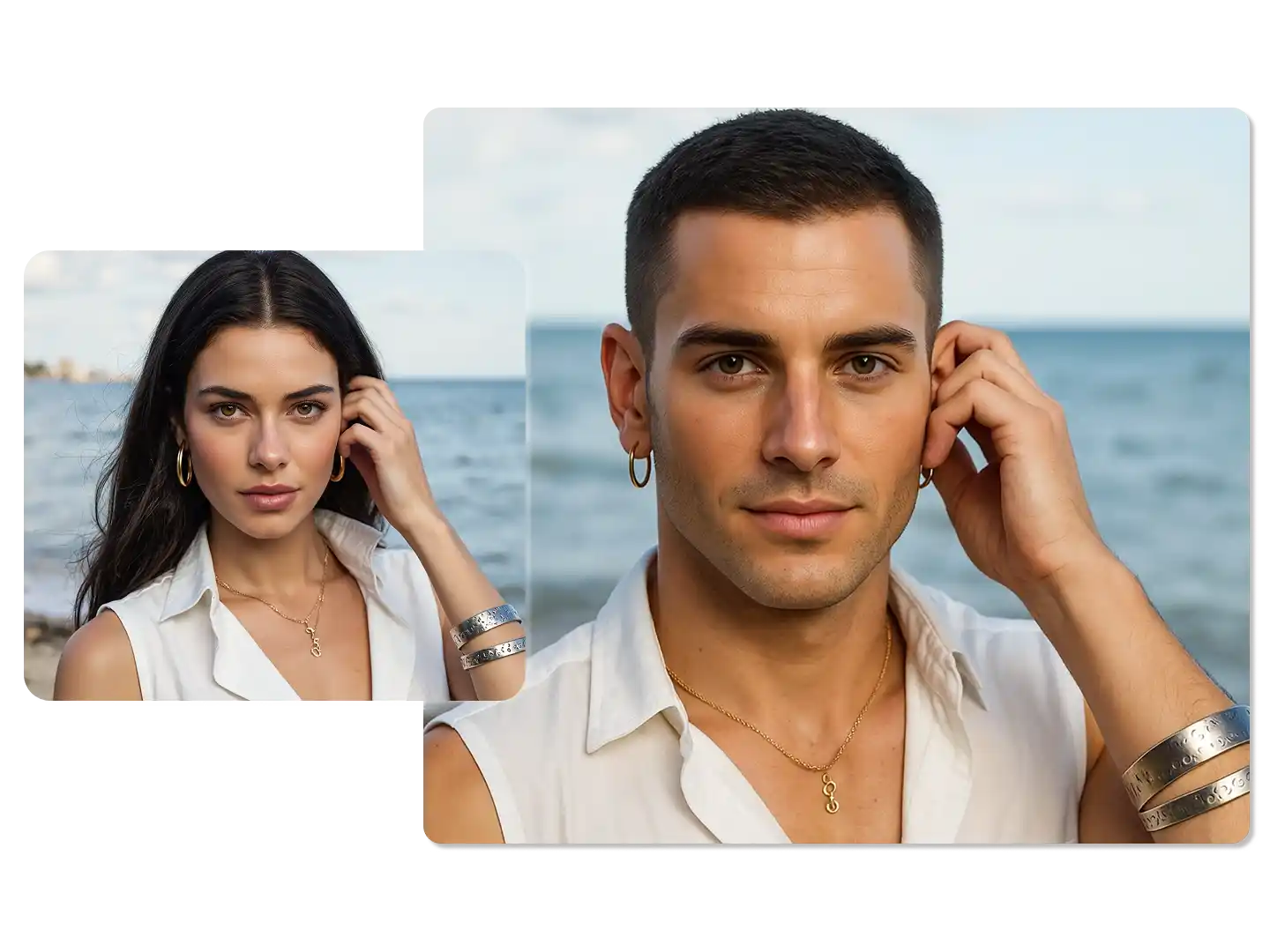
AI Gender Swap
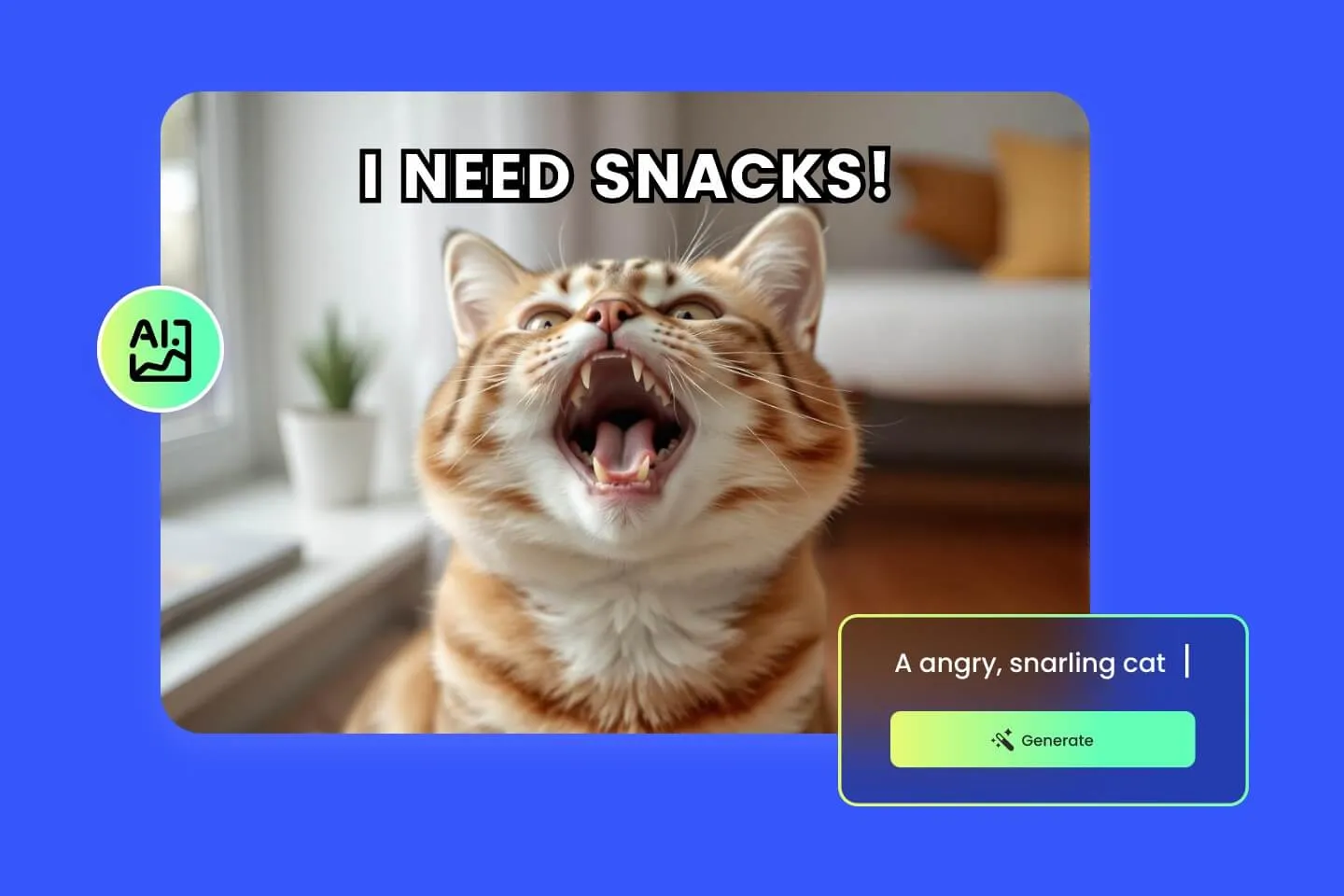
AI Meme Generator
AI Ad Generator
Wedding AI Photo Generator

AI Food Generator
Text To Image

Image To Image
AI Thumbnail Generator
AI Sticker Generator
AI Age Progression
Explore Cutting-Edge AI Models
AI Models — Powerful Image & Video Generation Tools
Explore advanced AI models for high-quality image and video creation. Discover powerful generation and editing technologies that enhance your creative workflow and bring your visual ideas to life with ease.








How to Use the AI Skinny Filter
HOW TO USE
Apply a realistic skinny filter to any photo in three simple steps with our free AI skinny filter online.
Upload Your Photo
Upload a clear selfie, portrait, or full-body shot where the person is well-lit and the body is visible. JPG and PNG up to 4K are supported by the AI skinny filter online.
Pick Ratio, Resolution & Format
Choose your preferred aspect ratio, export resolution (1K, 2K, or 4K), and output format (PNG or JPG) to match your intended use — Instagram, profile, print, or dating app.
Generate & Download
Click generate and the AI skinny filter creates a sleek, subtly slimmer portrait in seconds. Preview the result, then download instantly and share wherever you like.
AI Skinny Filter FAQs
FAQs
Answers to the most common questions about using our AI skinny filter online — from how it works to privacy and supported photos.
What is the AI skinny filter?
The AI skinny filter is an AI-powered photo effect that subtly slims the person in your photo while preserving their face, clothing, and background. It creates a realistic, flattering portrait without the distortions of traditional slim filters.
Is the AI skinny filter free to use?
Yes — you can try our AI skinny filter online for free. New users get free credits to process their first photos risk-free. Higher resolutions may use more credits, but basic previews remain free.
How does the AI skinny filter work?
Upload a photo and the AI analyzes body shape, clothing, and background. It then applies a subtle slimming effect to the waist, arms, and silhouette in a way that looks natural and believable, keeping every other detail of the photo intact.
Will the AI skinny filter change my face?
No. The skinny filter is tuned to preserve your identity — face shape, features, skin tone, hair, and expression stay exactly the same. Only body proportions are adjusted, and always in a subtle, realistic way.
Does it work on selfies and full-body photos?
Yes. The AI skinny filter works on selfies, half-body portraits, and full-body shots. For best results, use a well-lit photo where the body is clearly visible without heavy clothing that hides the silhouette.
Can I use the skinny filter on group photos?
Yes. The AI can slim multiple people in a group photo while keeping each person's identity, clothing, and the shared background consistent. Each subject is processed with the same subtle, natural-looking effect.
Is my photo safe and private?
Yes. Your uploaded photos are processed securely and are not used for training or shared with third parties. You remain the owner of both the original and the output images.
How subtle or strong is the slimming effect?
Our AI skinny filter is tuned for a subtle, natural effect by default — enough to create a sleek, flattering portrait without looking obviously edited. The goal is realism, not extreme transformation.
What resolutions and formats are supported?
You can export slimmed photos in 1K, 2K, or 4K and choose between PNG (lossless) or JPG (smaller file size). 4K is recommended for print or large screens; 1K is great for quick social posts.
Can I use the skinny filter output commercially?
Yes. You fully own the photos you create with our AI skinny filter online and can use them for personal or commercial projects, including social media, advertising, profiles, and portfolios.
Powered By


Get a Sleek, Slimmer Portrait Instantly
Upload your photo and let our AI skinny filter online create a realistic, subtly slimmer version — no editing skills or apps required. Free to try, ready in seconds.