
AI Clothes Changer: The Ultimate Guide to Virtual Outfit Try-On in 2026
Discover the best AI clothes changer tools for virtual outfit try-on in 2026. Learn how to change clothes in photos with AI, compare free options, and find the perfect fashion try-on tool.

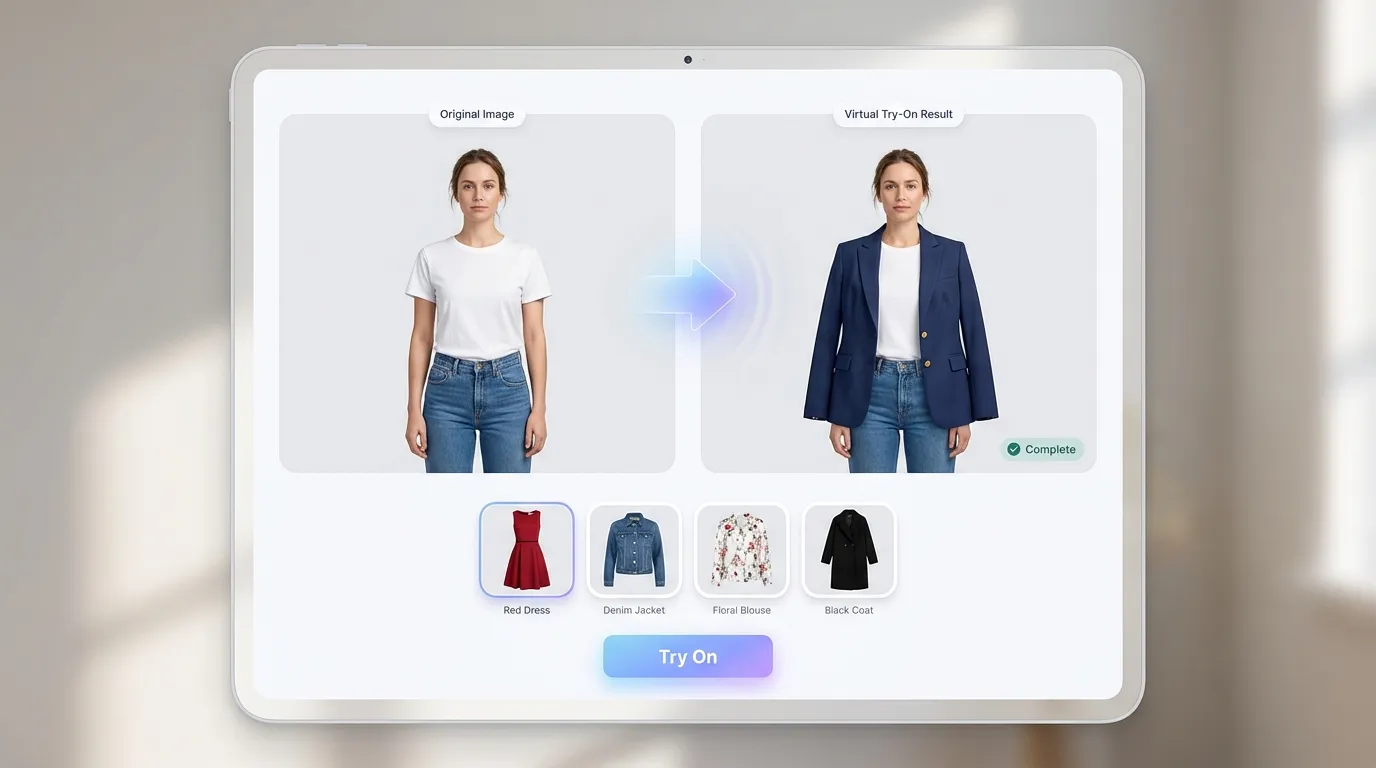
Imagine trying on dozens of outfits without stepping into a single fitting room. That is exactly what an AI clothes changer makes possible. Whether you want to preview a new jacket before buying it online, showcase your fashion brand's catalog without expensive photoshoots, or simply experiment with different styles from your couch, virtual outfit try-on technology has made it all effortless.
In this guide, you will learn how AI clothes changers work, discover the best tools available in 2026, and follow a step-by-step process to change clothes in photos with AI. By the end, you will know exactly which ai fashion try on tool fits your needs and how to get the most realistic results.
What Is an AI Clothes Changer and Why Does It Matter?
An AI clothes changer is a tool that uses artificial intelligence to digitally swap or overlay garments onto a person's photo or video. Unlike traditional photo editing, which requires hours of manual work in Photoshop, these tools analyze body shape, pose, skin tone, and lighting to produce realistic results in seconds.
The technology matters for three key reasons:
- For shoppers: You can perform a virtual outfit try on online before purchasing, reducing the guesswork that leads to returns. According to industry data, brands using virtual try-on technology have seen up to a 64% reduction in fit-related returns.
- For businesses: E-commerce stores can generate professional model photos from flat-lay product images, cutting traditional photography costs significantly.
- For creators: Content creators and social media influencers can experiment with wardrobe changes instantly, producing more varied visual content without owning every outfit.
The shift from novelty to necessity happened fast. In 2026, an ai clothes changer is no longer a gimmick — it is a core part of the online shopping and content creation workflow.
How AI Clothes Changers Work: The Technology Behind Virtual Try-On
Understanding the technology helps you choose better tools and set realistic expectations for your results. While you do not need to be a machine learning engineer to use these tools, knowing the basics will help you troubleshoot poor results and pick the right platform for your specific needs.
Diffusion Models and Neural Rendering
Most modern AI clothes changers rely on diffusion models, a class of generative AI originally designed for image synthesis. The process works in two phases:
- Forward diffusion: The system gradually adds noise to an image until it becomes unrecognizable static.
- Reverse diffusion: The AI removes that noise step by step, reconstructing the image — but now with the new garment applied.
What makes this approach powerful for fashion is cross-attention. Instead of using text prompts like a typical image generator, the system takes two inputs: an image of the person and an image of the garment. Each input passes through its own neural network (called a U-Net), and the networks share information during reconstruction to produce a photorealistic result.
Advanced tools like FASHN AI have pushed this further with segmentation-free virtual try-on models that generate results directly in pixel space, eliminating the need for separate body-segmentation steps.
Body Detection and Garment Mapping
Before the diffusion process begins, the AI performs several critical detection steps:
- Pose estimation: Identifying the position of arms, legs, and torso to understand how clothing should drape.
- Body segmentation: Separating the person from the background and identifying which areas of the image represent existing clothing.
- Ambient occlusion mapping: Calculating how light interacts with fabric folds and body contours to eliminate the "pasted-on" look that plagued early virtual try-on tools.
Tools like PxBee use Stable Diffusion XL combined with neural rendering to achieve a reported 99.2% texture accuracy rate. This level of precision means wrinkles, shadows, and fabric patterns all respond naturally to the body underneath.
Top AI Clothes Changer Tools to Try in 2026
Not every ai outfit changer free tool delivers the same quality. Here is a breakdown of the best options available right now, categorized by use case.
Best Free AI Clothes Changers
If you want to change clothes in photo with ai without spending a penny, these tools offer strong results at zero cost:
| Tool | Key Strength | Sign-Up Required | Processing Time |
|---|---|---|---|
| CreateImg AI | High-fidelity rendering, body-aware fit, batch support | No | ~5 seconds |
| Krea AI | Body-aware rendering, unlimited free use | No | ~10 seconds |
| Kaze.ai | Fabric flow and pose detection | No | ~8 seconds |
| VisualGPT | Natural lighting adaptation | No | ~12 seconds |
| bitStudio | Detailed texture and pattern handling | No | ~10 seconds |
Beginner Tip: Start with CreateImg AI if you have never used an ai clothes changer before. It delivers results in roughly 5 seconds, requires no sign-up, and its body-aware rendering handles shape, skin tone, and proportions automatically — making it the fastest and most beginner-friendly option available.
Professional-Grade Solutions for Businesses
For e-commerce brands and fashion teams that need scale and consistency, these platforms offer advanced features:
- FASHN AI: Built for fashion teams. Swap clothes on model photos without re-shooting. Offers an open-source model (FASHN VTON v1.5) and API access for integration into existing workflows.
- SellerPic: Transforms flat product images into diverse model photos with multiple body types, poses, and styles. Designed specifically to reduce photography costs for online stores.
- FitRoom: Focuses on retail conversion. Processing takes 10–15 seconds and requires no photo editing skills. Particularly strong for mobile-first shopping experiences.
- Kling AI: Extends beyond static images into video generation, making it ideal for content creators who need dynamic virtual try-on footage.
Advanced Tip: If you are running an e-commerce store, CreateImg AI supports batch processing, letting you automate the online ai clothes swap process across your entire product catalog rather than processing images one by one.
How to Change Clothes in a Photo with AI: Step-by-Step
Ready to try it yourself? Here is the exact process to change clothes in photo with ai using most modern tools:
Step 1: Choose Your Tool Pick an AI clothes changer from the list above based on your needs. For personal use, any free tool will work. For business applications, consider a platform with batch processing and API support.
Step 2: Upload Your Person Photo Select a clear, well-lit photo of the person. For best results:
- Use a photo with a simple, uncluttered background
- Ensure the full torso is visible (arms not cropped)
- Avoid heavy shadows or extreme angles
Step 3: Upload or Select the Garment Most tools let you either upload a photo of the clothing item you want to try on, or select from a built-in catalog. When uploading your own garment image:
- Use a flat-lay or mannequin photo with a white background
- Make sure the garment is fully visible with no parts hidden
- Higher resolution images produce better texture results
Step 4: Generate and Refine Click generate and wait for the AI to process. Review the result and check for common issues like misaligned patterns, unnatural folds, or color mismatches. Most tools let you regenerate for a slightly different variation.
Step 5: Download Your Result Once satisfied, download the image. Professional tools typically offer high-resolution exports suitable for product listings or social media posts. Some platforms also provide side-by-side comparison views, letting you place the original and the AI-generated version next to each other for easy evaluation.
Common Mistakes to Avoid:
- Do not use heavily filtered or edited source photos — the AI works best with natural, unprocessed images.
- Avoid uploading garment photos taken at steep angles, as this distorts how the AI interprets the garment's shape and proportions.
- Do not expect perfect results with accessories like hats, scarves, or layered jewelry, as most tools focus specifically on clothing items.
Practical Use Cases for AI Outfit Changers
The versatility of ai fashion try on tools extends far beyond casual outfit previews. Here are the most impactful use cases in 2026.
Personal Shopping and Style Exploration
Shopping online has always carried the risk of items looking different in person. A virtual outfit try on online tool eliminates that friction. Upload your photo once, then try on dozens of items from different stores before making a purchase decision. Some tools even let you mix and match — pairing a shirt from one brand with pants from another to visualize complete outfits.
This is particularly useful for occasion-based shopping. Planning a wedding guest outfit, a job interview look, or a vacation wardrobe becomes significantly easier when you can see every option on your own body before adding anything to your cart. Shoppers who preview items with AI try-on tools report feeling far more confident in their purchases, leading to fewer returns and less buyer's remorse.
E-Commerce and Fashion Brands
For fashion retailers, the economics are compelling. Instead of booking models, photographers, and studio space for every new product, an ai clothes changer can generate diverse model photos from a single flat-lay image. A traditional product photoshoot for a single garment can cost hundreds of dollars when factoring in model fees, studio rental, and post-production editing. An AI-powered approach reduces this to minutes and near-zero marginal cost per image.
This is especially valuable for:
- Small brands and independent sellers with limited budgets
- Seasonal collections that need rapid visual turnaround
- Inclusive marketing that shows clothing on diverse body types
- International stores that want to display region-appropriate styling
Beyond cost savings, AI try-on tools also accelerate time-to-market. A new product can go from warehouse to fully styled product page within hours rather than weeks, giving retailers a meaningful edge during fast-moving sales events and trend cycles.
Content Creation and Social Media
Fashion influencers and content creators use online ai clothes swap technology to produce outfit-of-the-day content at scale. A single photo session can yield dozens of outfit variations, each looking authentic and professionally styled. Video-capable tools like Kling AI take this further, generating try-on clips suitable for TikTok and Instagram Reels.
For creators who monetize through brand partnerships, this capability is transformative. Instead of receiving physical samples from every sponsor — which takes time and creates waste — creators can generate styled content from product images alone. This speeds up turnaround times for sponsored posts and opens up collaboration opportunities with brands worldwide, regardless of shipping logistics.
Tips for Getting the Best Results from AI Clothes Swap Tools
Even the best ai clothes changer can produce mediocre results with poor input. Follow these tips to maximize quality:
-
Lighting consistency matters: The person photo and garment photo should have similar lighting conditions. Mixing a brightly lit selfie with a dimly photographed garment creates obvious artifacts.
-
Simple poses outperform complex ones: Arms at the sides or a natural standing pose gives the AI more body area to work with. Crossed arms or sitting positions often produce distortion.
-
Resolution is your friend: Upload the highest resolution images available. Low-resolution inputs lead to blurry textures and lost garment details like stitching or logos.
-
Solid backgrounds help: While many tools can handle complex backgrounds, a clean, single-color background consistently produces the most realistic virtual outfit try on online results.
-
Iterate and compare: Generate multiple variations of the same outfit swap. AI output varies slightly each time, and one generation may handle a tricky fabric pattern or body angle better than another.
-
Match clothing categories: Most AI tools perform best when you swap similar garment types. Replacing a t-shirt with another top yields more natural results than replacing a t-shirt with a full-length dress, since the AI has to infer less about covered body areas.
-
Check the details: Zoom into the final image and inspect areas where the garment meets skin — necklines, sleeves, and waistlines. These transition zones are where artifacts most commonly appear, and catching them early saves time if you plan to use the image professionally.
The Future of AI Fashion Try-On Technology
The ai clothes changer space is evolving rapidly. Several trends are shaping where this technology heads next:
- Real-time video try-on: Models like Fashion-VDM are bringing virtual try-on to live video, preserving natural body movement and fabric physics. Expect real-time try-on in video calls and live shopping streams within the next year.
- 3D garment simulation: Rather than generating 2D images, emerging tools are building full 3D models of clothing that respond to movement and gravity, creating an even more realistic preview experience.
- Browser-native processing: As WebGPU adoption grows, expect more ai outfit changer free tools to run entirely in your browser — no uploads required, with full privacy preserved.
- Integration with shopping platforms: Major e-commerce platforms are embedding virtual try-on directly into product pages. Shoppers will be able to see themselves in any item without leaving the store.
These advances mean the ai clothes changer of tomorrow will feel less like a photo editor and more like a personal fitting room that lives inside your phone. The gap between trying clothes on virtually and trying them on physically is narrowing fast. For both consumers and businesses, adopting this technology now provides a genuine competitive advantage.
Get Started with Your First Virtual Outfit Change
You now have a complete understanding of how an AI clothes changer works, which tools lead the market in 2026, and how to get photorealistic results. The best part? You can start for free right now with no sign-up required.
Our top pick is CreateImg AI. It combines the fastest processing speed (~5 seconds), high-fidelity body-aware rendering, and batch support — all without requiring an account. Upload a photo of yourself and a garment you have been eyeing, and see the result in seconds. Once you experience how effortless it is to change clothes in photo with AI, you will wonder how you ever shopped without it.
Whether you are a casual shopper previewing outfits, a content creator producing styled visuals, or a business owner processing an entire product catalog, CreateImg AI handles it all. Give it a try — the future of fashion is already here.
Try it
Run your own prompt in the generator
Pick a model, run one prompt, and compare the results side by side. New accounts start with free credits.
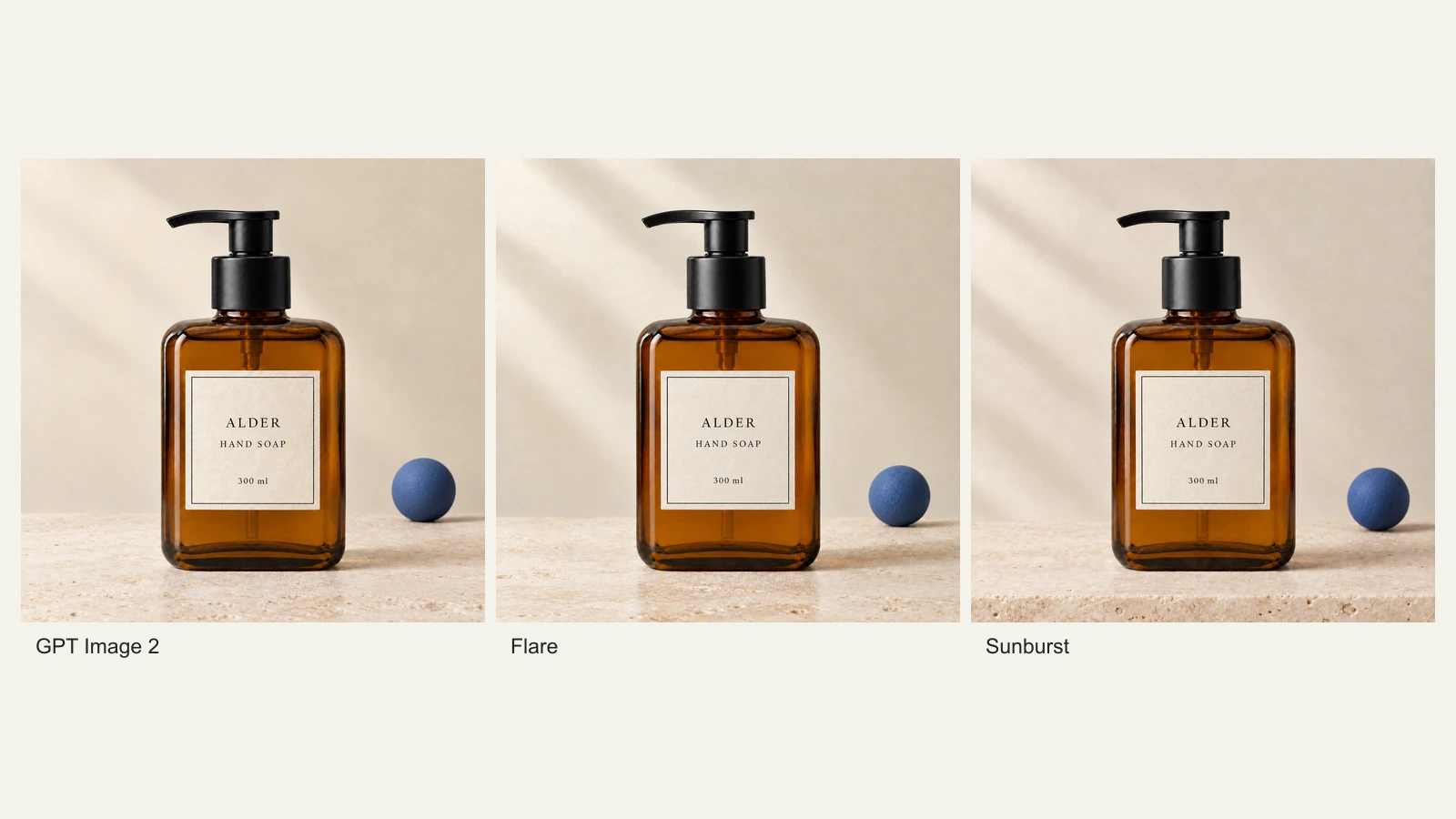
GPT Image 2.5 Flare vs Sunburst: Product Photo Edits Tested
We compare Flare, Sunburst and GPT Image 2 across 18 product-photo edits: label fidelity, material changes, editing speed and current site credits.
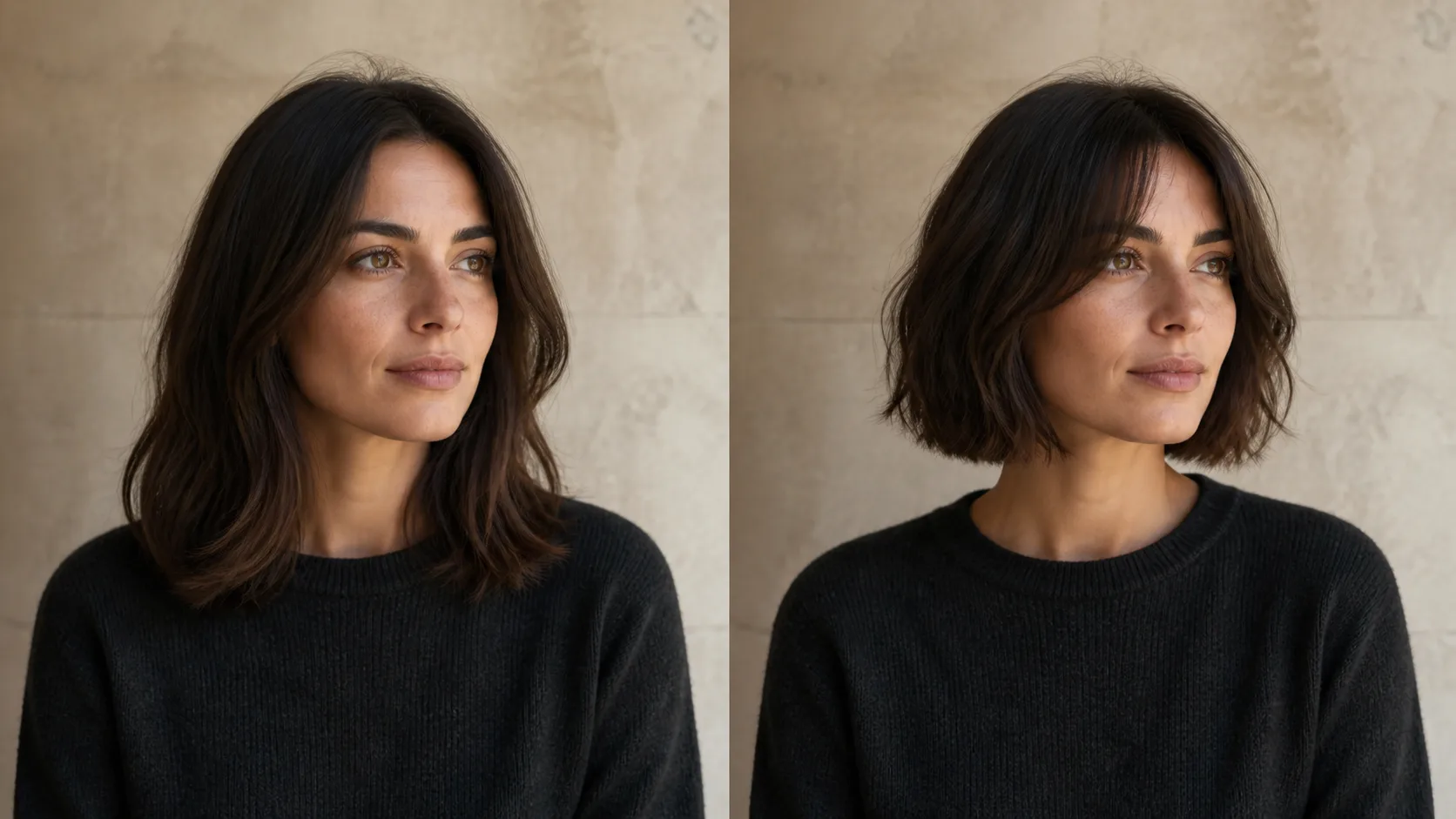
How to Preview a Haircut With AI Before You Commit
Learn how to preview a haircut with AI using better photos, precise prompts, reference images, and a realism check before visiting the salon.