
AI Clothes Changer
Results vary by model. If a generation fails or is blocked, switch to another model and try again.
Results
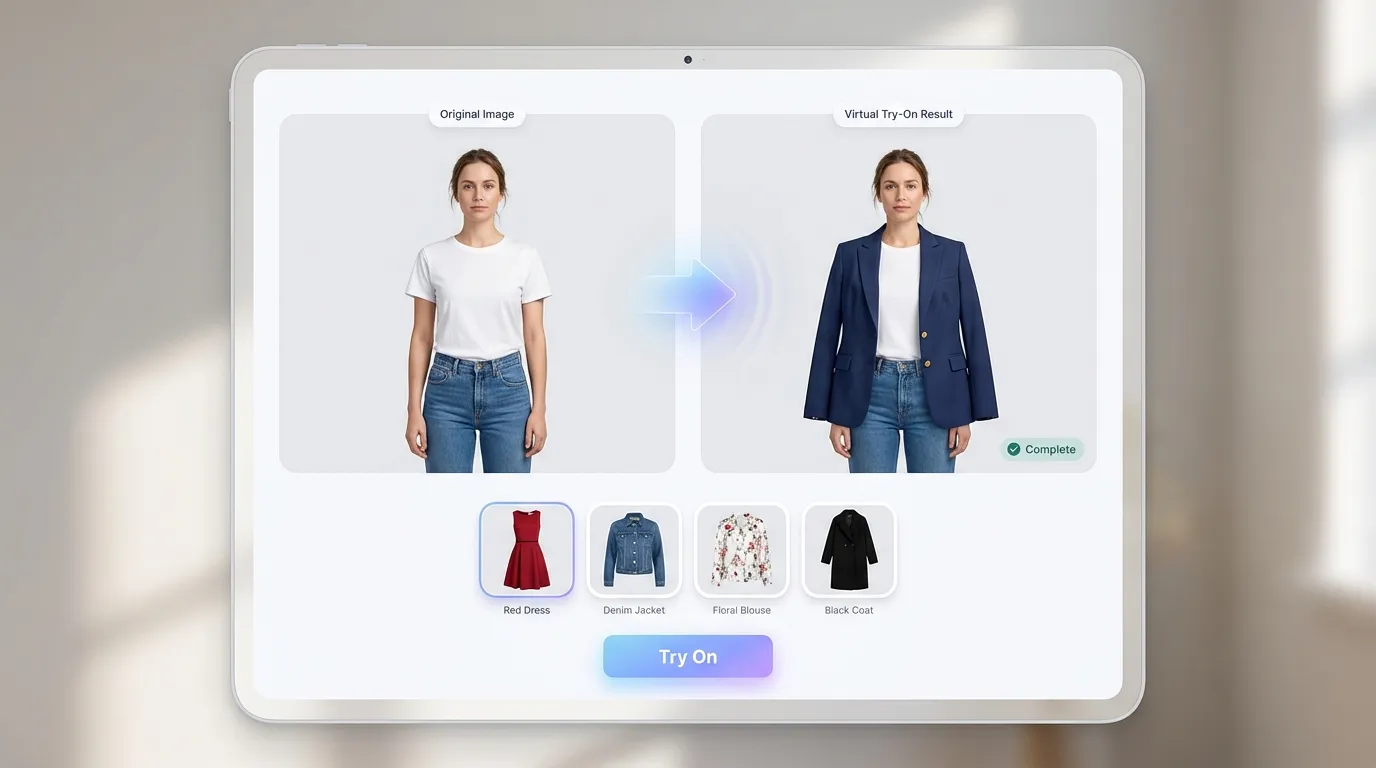
Try on any outfit virtually—upload your photo and see yourself in new clothes instantly.
AI Clothes Changer: Virtual Try-On & Outfit Swap Online
Why Choose Our AI Clothes Changer?
Upload your photo, add a reference outfit or describe what to wear, and let our AI clothes changer generate a realistic virtual try-on in seconds.
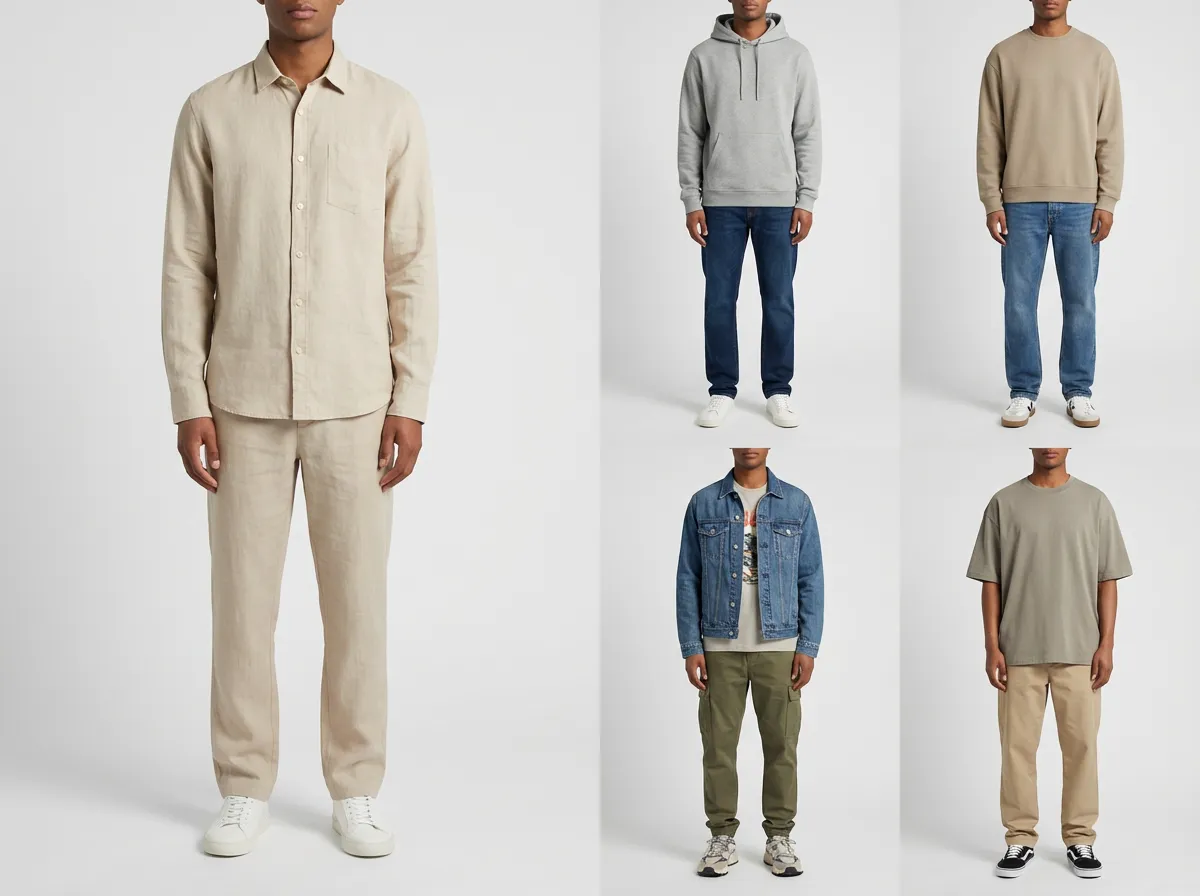
- Get realistic fabric texture, folds, and shadows that match your body and lighting for believable outfit swaps in the AI clothes changer.
- Upload a clothing photo and the AI clothes changer applies the style while keeping your face, pose, and proportions consistent.
- No reference? Describe an outfit like a business suit, streetwear, saree, or party dress to generate variations fast.
- Keeps your overall shape and pose stable so the new clothes feel naturally worn in your original photo.
- Use the AI clothes changer for virtual try-on shopping, wardrobe planning, e-commerce mockups, or content creation without reshoots.
- Generate in seconds with secure handling of your images to keep your virtual try-on private.
AI Clothes Changer Examples: Real-World Virtual Try-On
Showcases
Explore AI clothes changer results across formal, casual, cultural, and creative outfits—ideal for virtual try-on, outfit swap, and style testing.
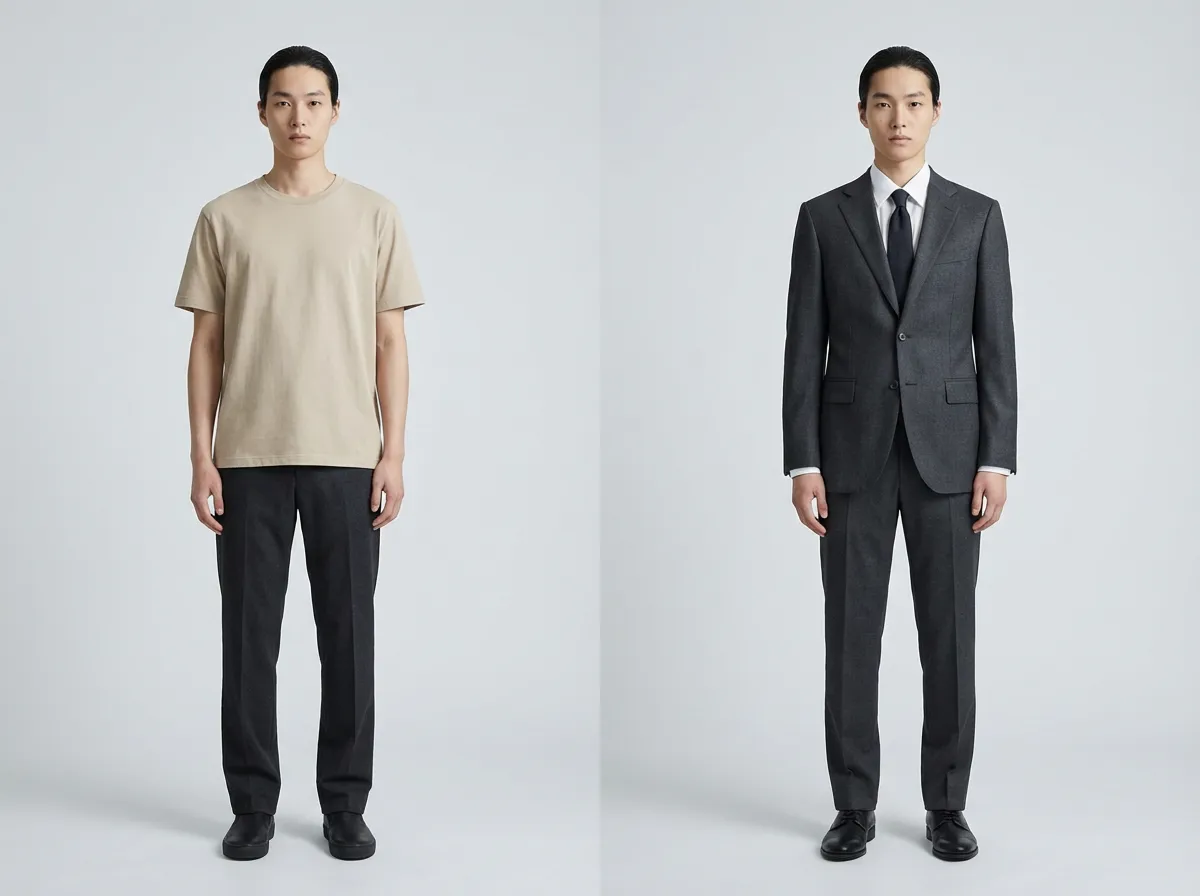
Formal Outfit Try-On
Preview suits, blazers, or evening dresses with realistic fabric and lighting in the AI clothes changer.
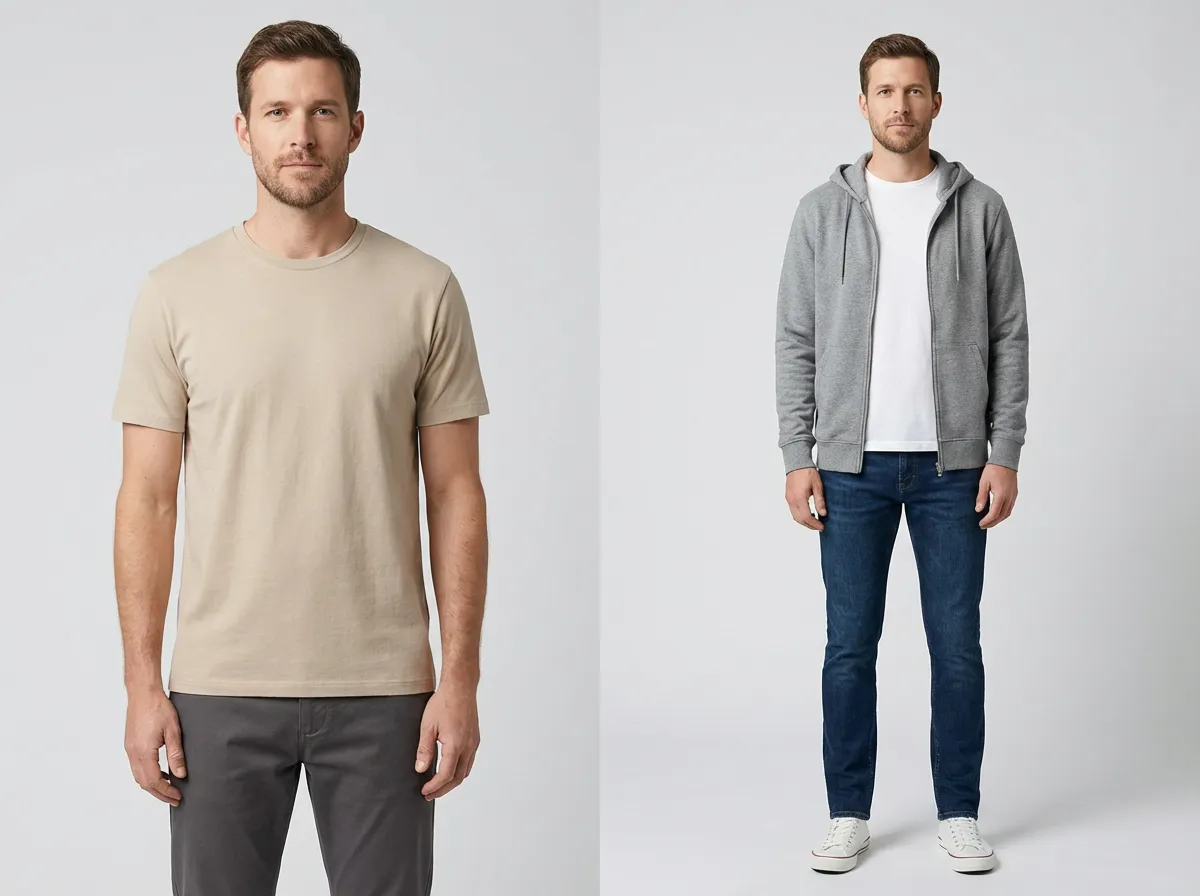
Casual & Streetwear Swap
Test jeans, hoodies, sneakers, and layered outfits without changing your original photo.
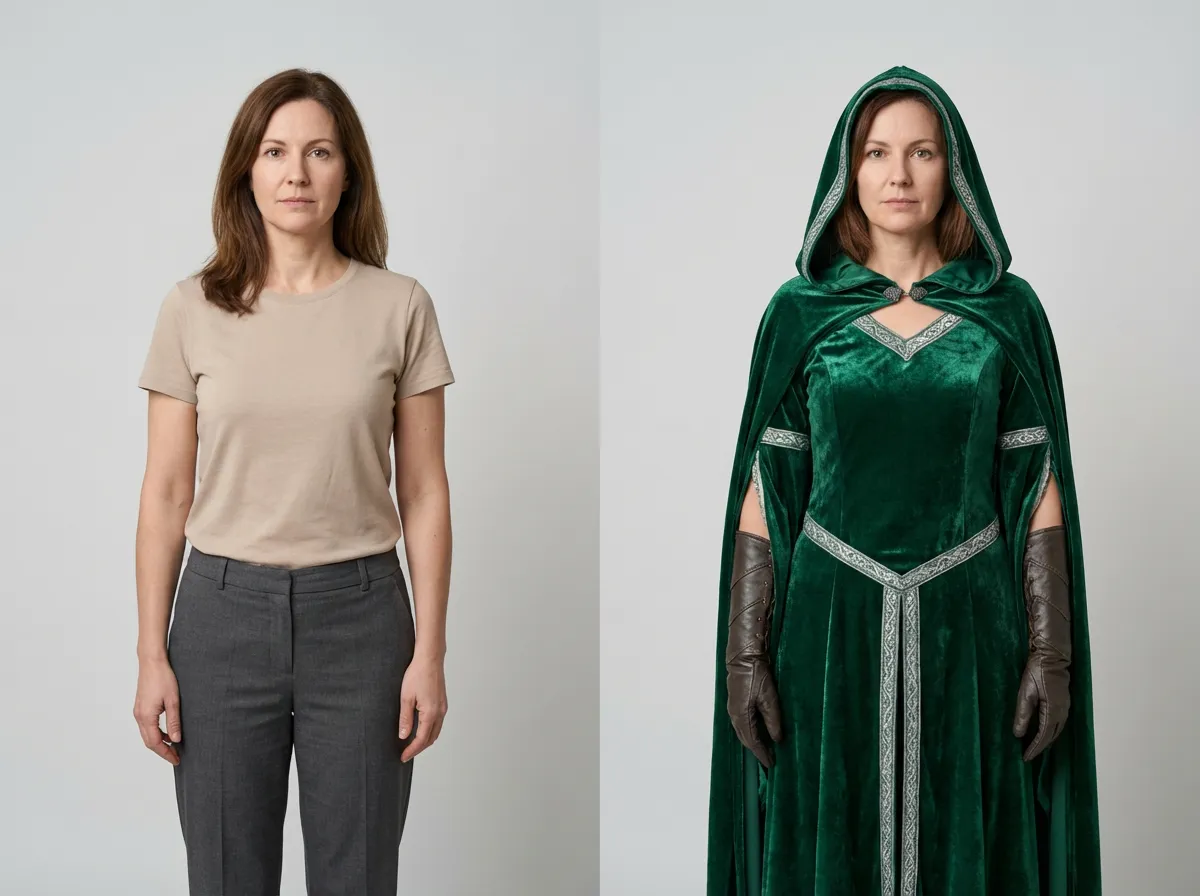
Cultural & Traditional Styles
Explore sarees, hanbok, kimono, and other traditional outfits with one prompt or reference image.
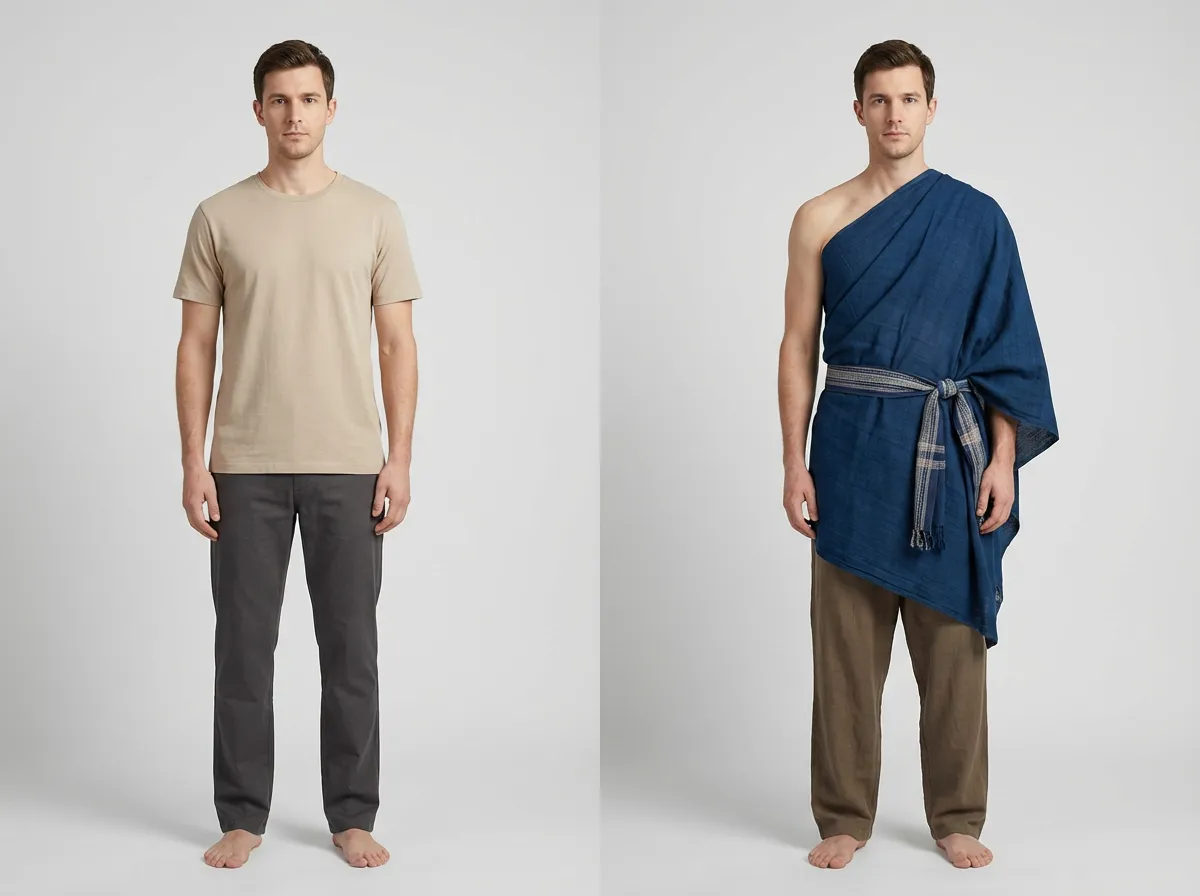
Creative Costumes & Themes
Generate costumes, cosplay, or themed outfits for content creation and fun.
More AI Image Generators for Every Creative Idea
Unleash Creativity With Createimg.ai AI Image Generators
Explore a variety of AI image generators tailored to different creative needs. Whether you want to design shirts, make fun emojis, or create unique posters, these tools make it easy to bring every idea to life.
AI Gender Swap
AI Meme Generator
AI Ad Generator
Wedding AI Photo Generator

AI Food Generator
Text To Image
Image To Image
AI Thumbnail Generator
AI Sticker Generator
AI Age Progression
Explore Cutting-Edge AI Models
AI Models — Powerful Image & Video Generation Tools
Explore advanced AI models for high-quality image and video creation. Discover powerful generation and editing technologies that enhance your creative workflow and bring your visual ideas to life with ease.










AI Clothes Changer Online: How to Use (Step-by-Step)
How To Use
Follow these quick steps to change clothes with AI and generate realistic virtual try-on results from your photo using our AI clothes changer.
Upload Your Photo
Upload a clear upper-body or full-body photo. Good lighting and visible clothing area help realism.
Add Outfit Reference or Description
Upload an outfit reference image, describe the look you want (e.g., "black blazer with white tee"), or use both together.
Generate & Download
Click Generate to see your new outfit. Download the result or try another style in the AI clothes changer.
AI Clothes Changer FAQ: Your Questions Answered
FAQs
Quick answers about our AI clothes changer: virtual try-on, outfit swap, file requirements, and best practices.
What is an AI clothes changer?
An AI clothes changer (also called an AI outfit changer) swaps outfits in a photo using a reference garment or a text prompt to create a virtual try-on image.
How does the AI clothes changer work?
Upload your photo, then add an outfit reference image or describe the clothing you want. The AI clothes changer blends the outfit into your pose and lighting.
Do I need an outfit reference image?
No. You can use a reference image, a text description, or both together for more control over the final look.
What kind of photo should I upload?
Use a clear, well-lit photo with the torso visible. Full-body or upper-body shots usually give the best fit and realism.
What types of clothing can I try?
Try dresses, shirts, jackets, suits, sweaters, casual wear, party outfits, and more. Results depend on the reference and prompt clarity.
What file formats are supported?
Common formats like PNG, JPG, WEBP, HEIC, HEIF, and AVIF are supported. Very large files may be resized for processing.
Can I use it for virtual try-on shopping?
Yes. The AI clothes changer helps you preview how a style or color might look on you before buying, reducing guesswork and returns.
Will the background or face change?
The goal is to keep your face, pose, and background consistent while swapping clothing, though complex photos can affect results.
Is my photo kept private?
Yes, your photos are processed securely. See our Privacy Policy for details on data handling and retention.
How long does generation take?
Most generations finish in seconds, depending on server load and outfit complexity.
AI Clothes Changer Guide & Tutorial
Read the Professional AI Clothes Changer User Guide
Powered By


Change Outfits in Seconds
Try a virtual outfit swap with our AI clothes changer. Upload your photo, add an outfit reference or prompt, and download your new look instantly.