
AI Image Translator
This AI image translator translates the text in your image into another language. You review every line first; prices, brand names and the rest of your image stay as they were.
The original language is detected for you.
Free. You need at least 30 credits; you only pay when you create the translated image.
Result
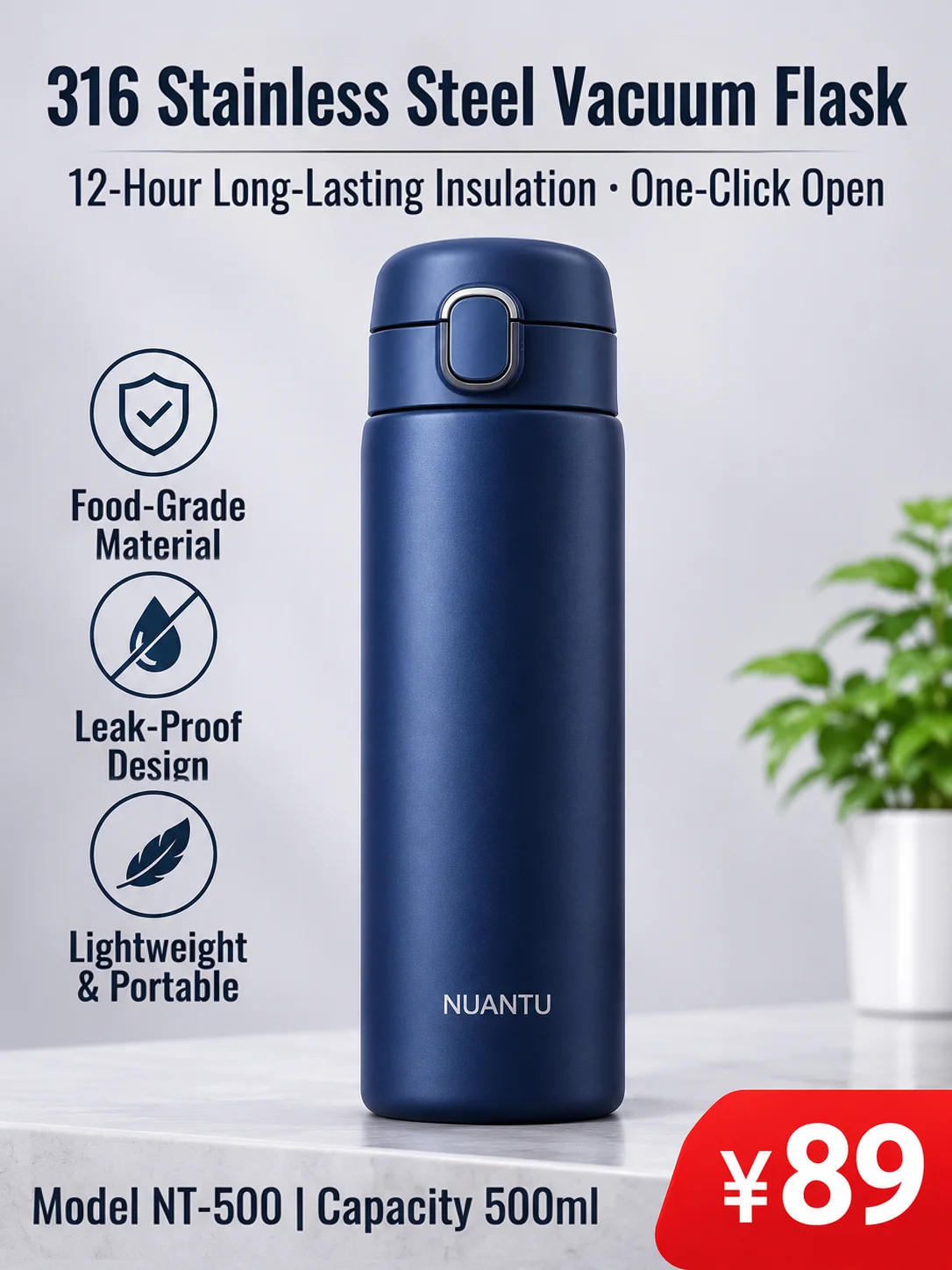
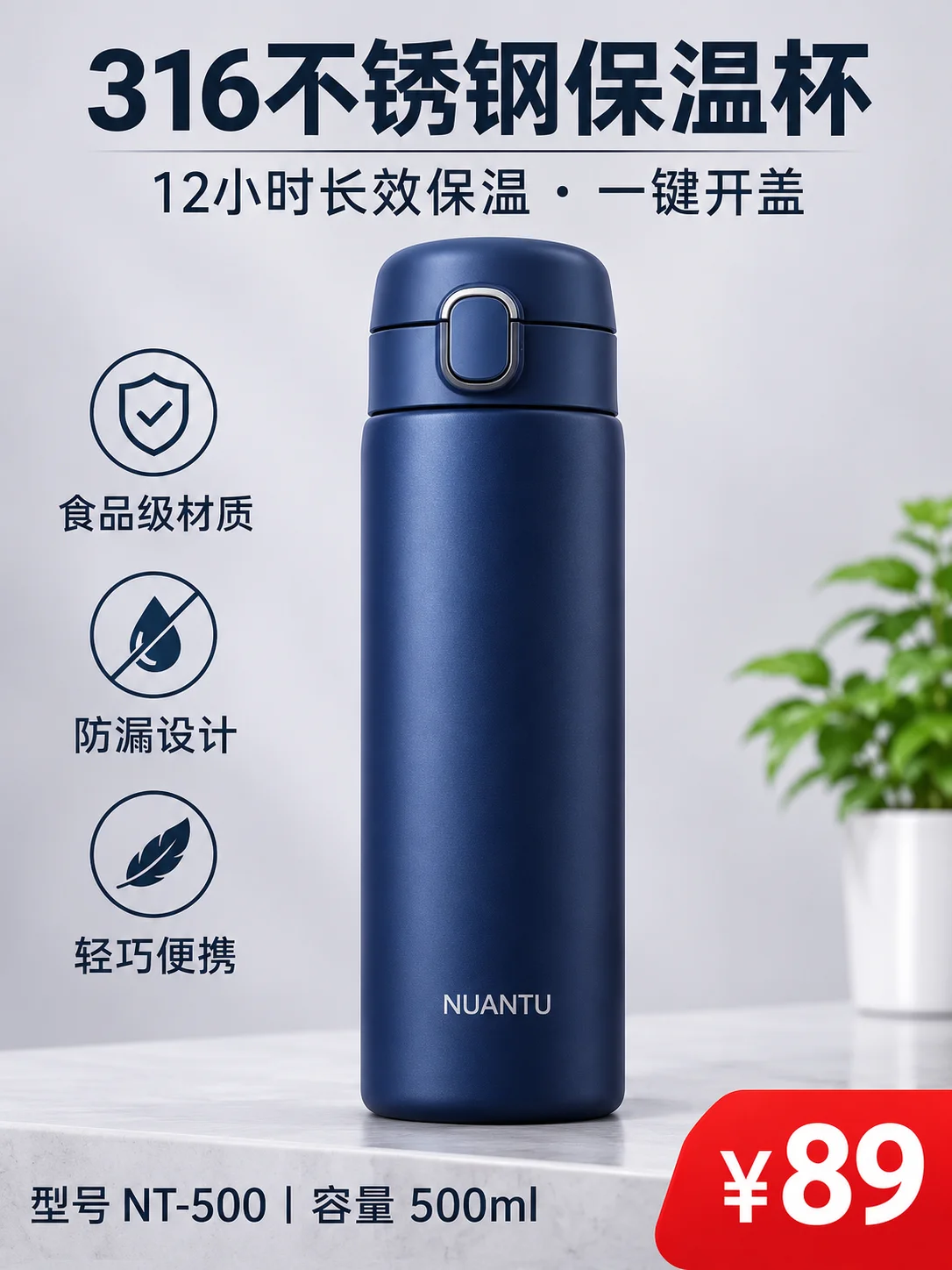
Translate the text in your image
Upload an image, pick a language, then check each line before the image is made. Prices, brand names and everything that isn't text stay exactly as they were.
Translate Text in Image Into Any Language
One image, many languages
Each version below was made from the same original with this image translator. Pick a language to see it: the text is translated in place and everything else is the original image. The example images were made with AI.
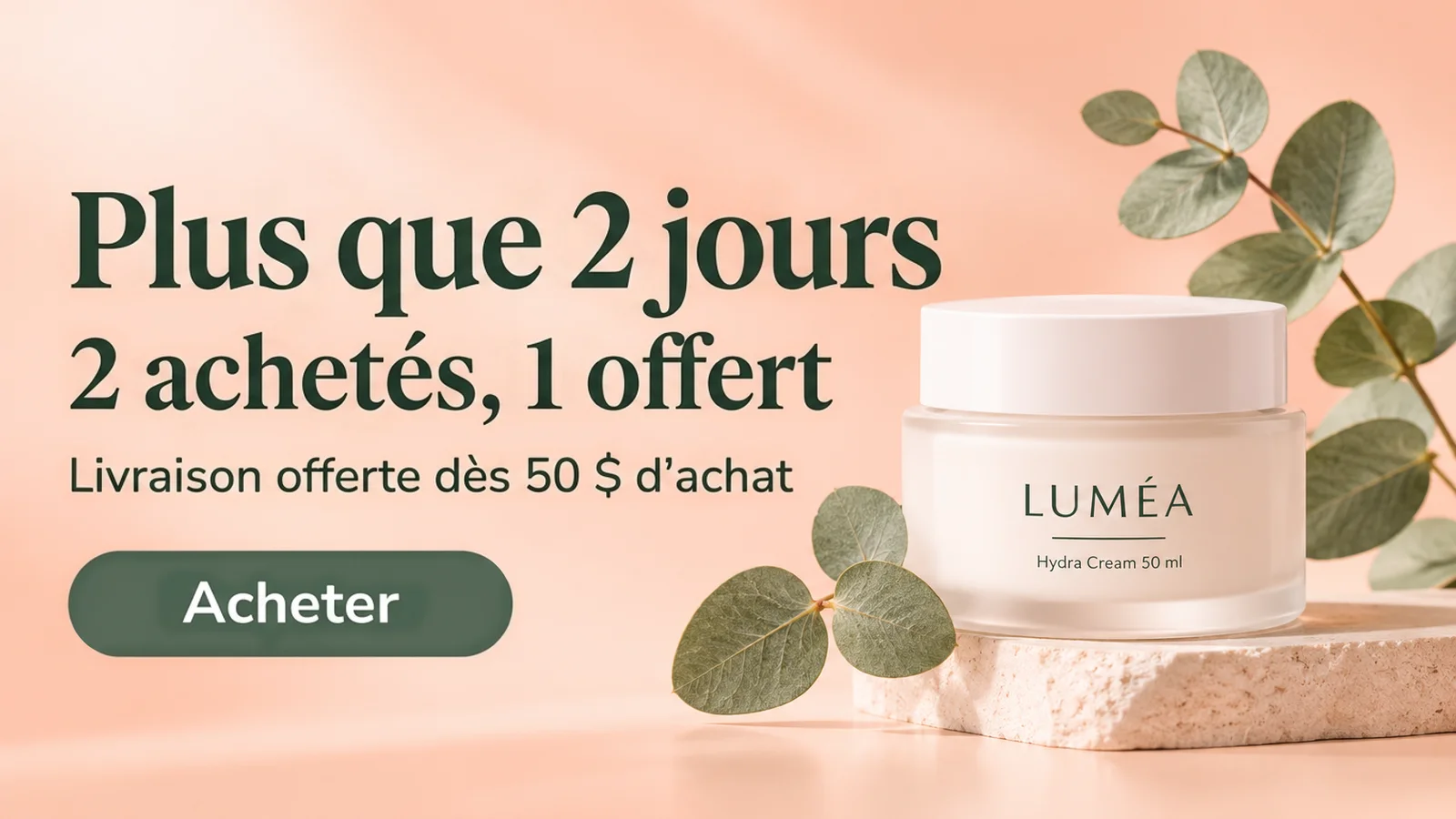
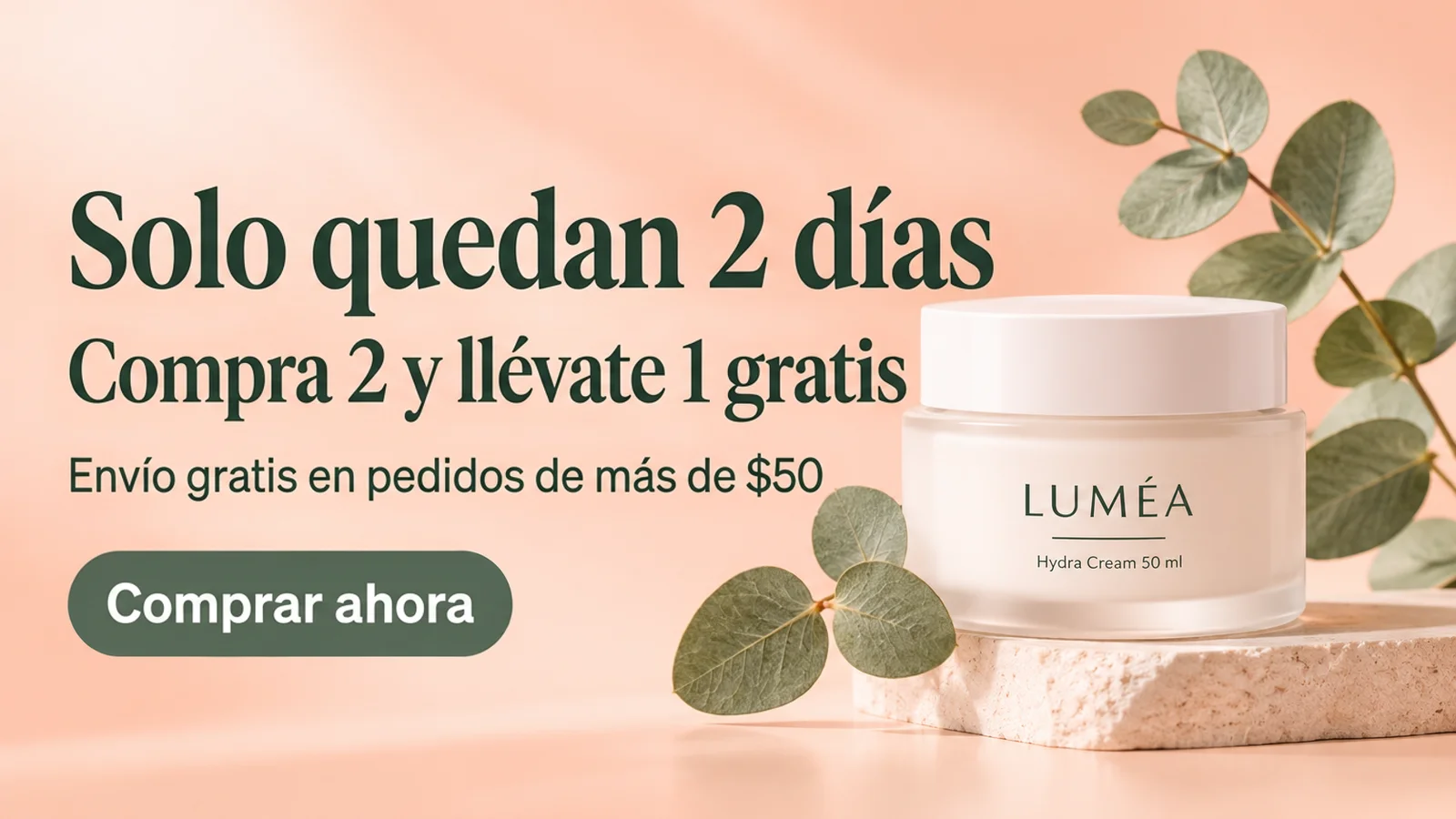
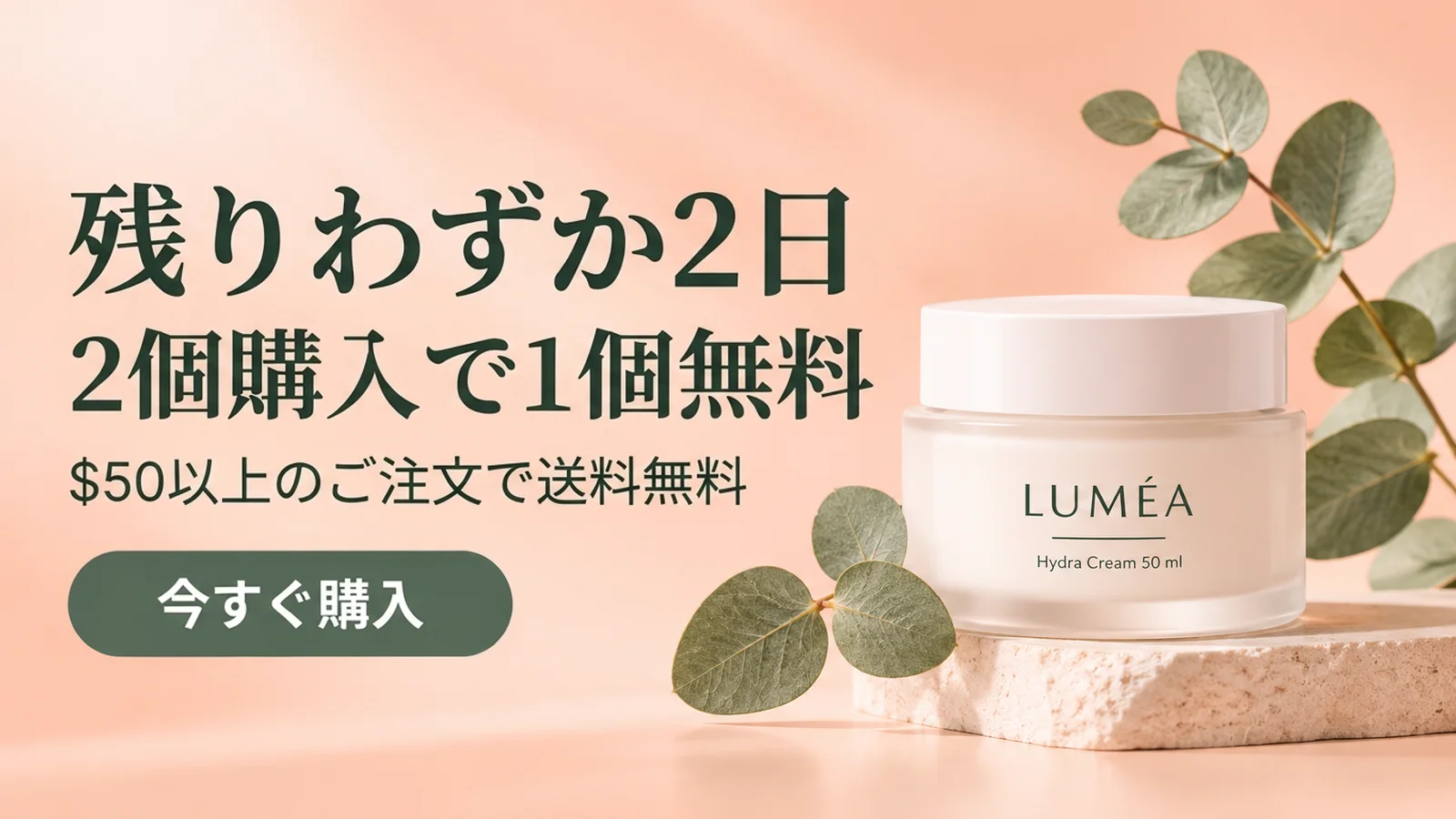
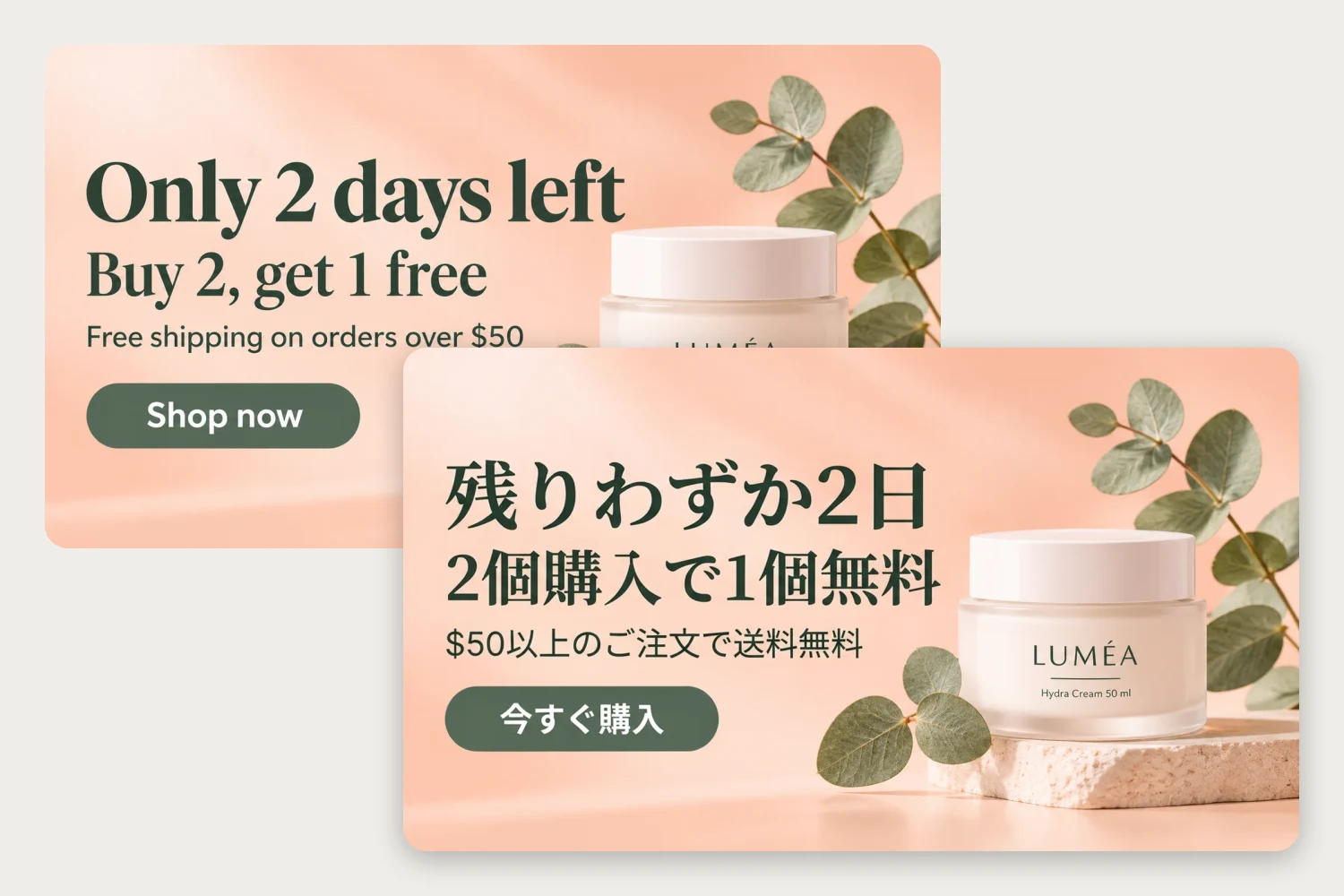
Skincare banner


Original
The headline, offer, shipping line and button are translated. The LUMÉA jar, its label and the $50 threshold stay as they were.
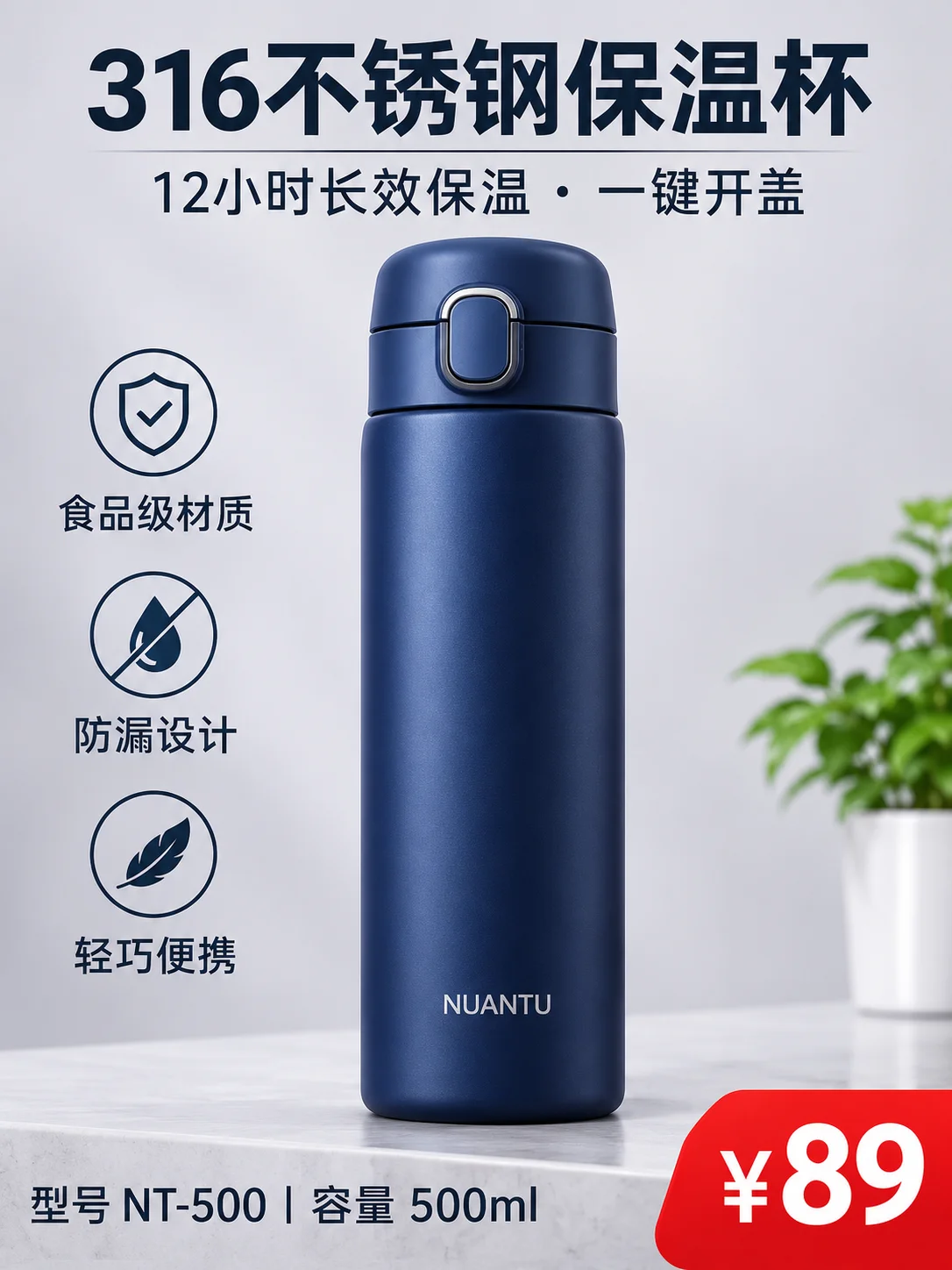
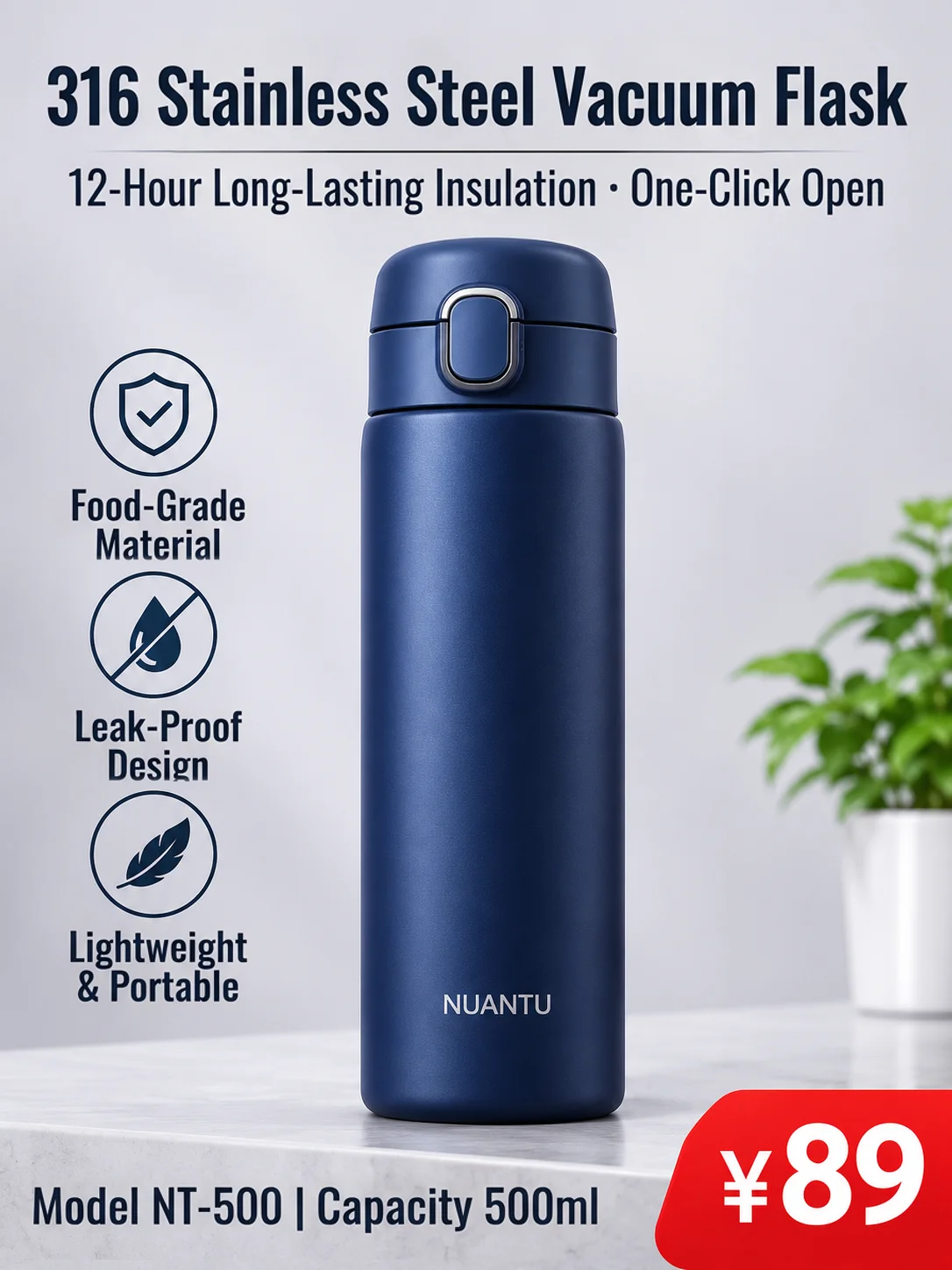
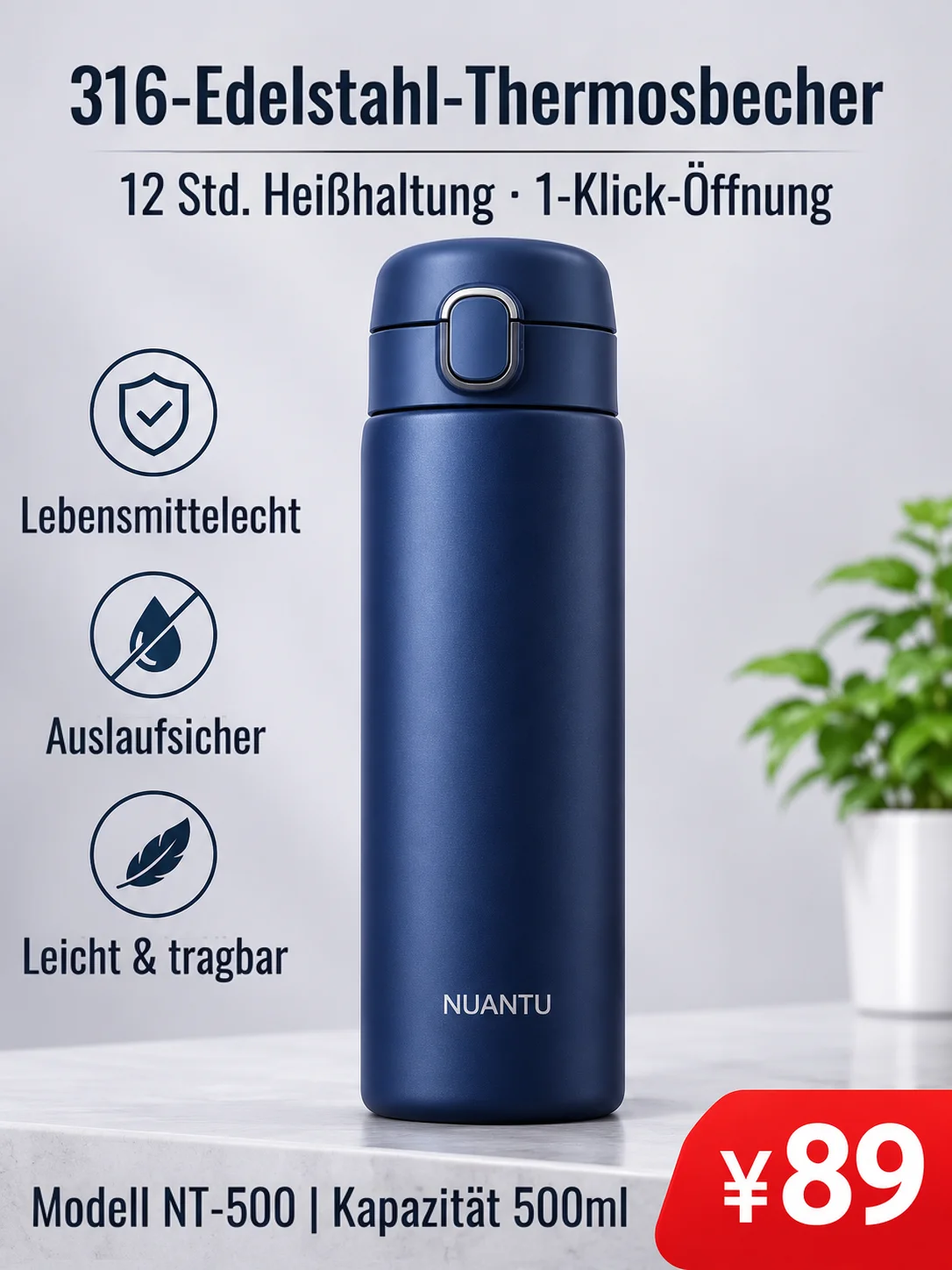
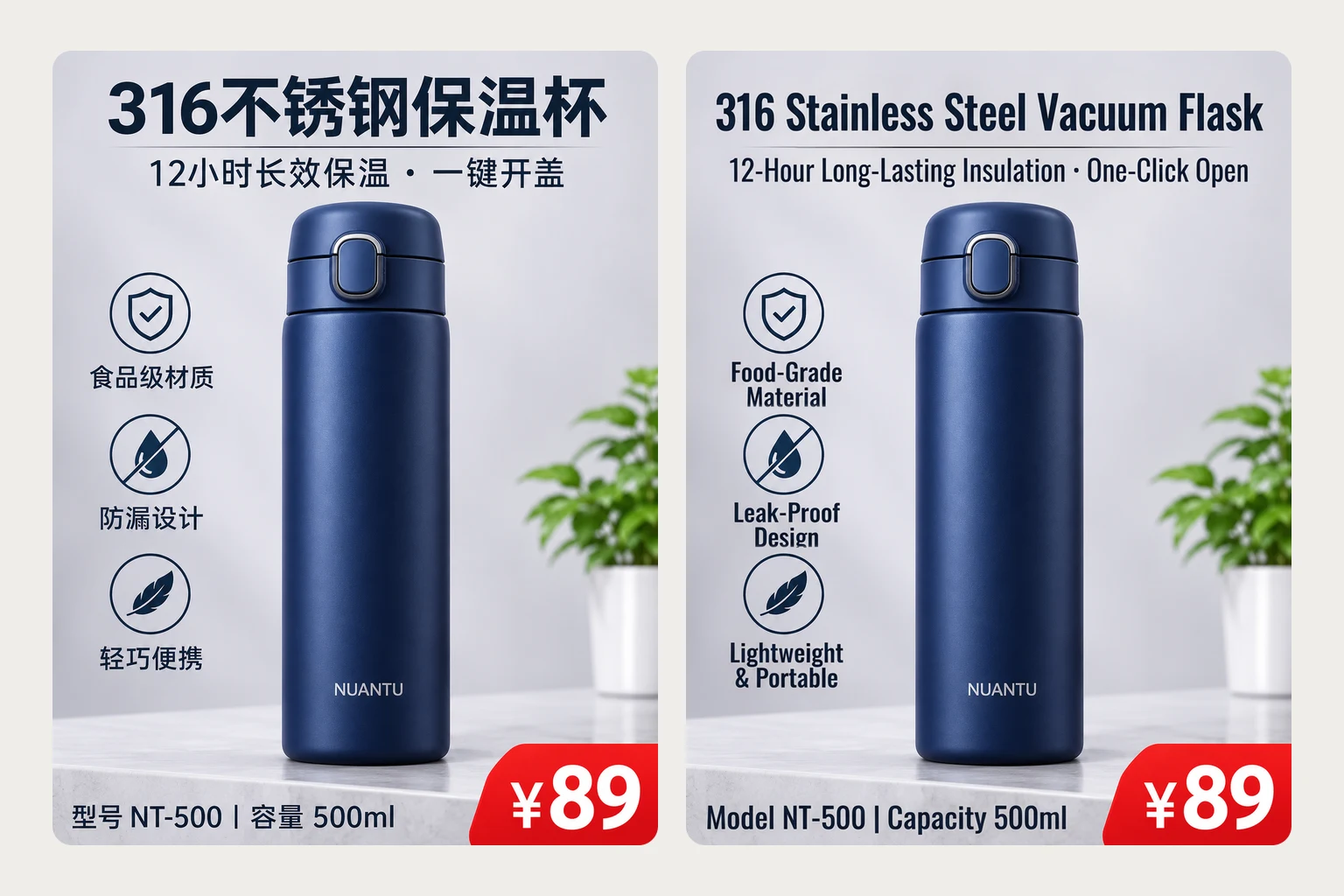
Product detail image
Original
A Chinese product image for another market. The title and selling points are translated; the model number, capacity numbers, price tag and the brand on the bottle are kept.
AI Image Translator Examples
Look closely: prices and brand names stay
Real results from this AI image translator. The amber box marks the spot worth checking; the zoomed views show it before and after. The example images were made with AI.
The price tag stays
BeforeAfterChinese → English
The title and the selling points are in English now. The ¥89 tag and the NUANTU print on the bottle come straight from the original.
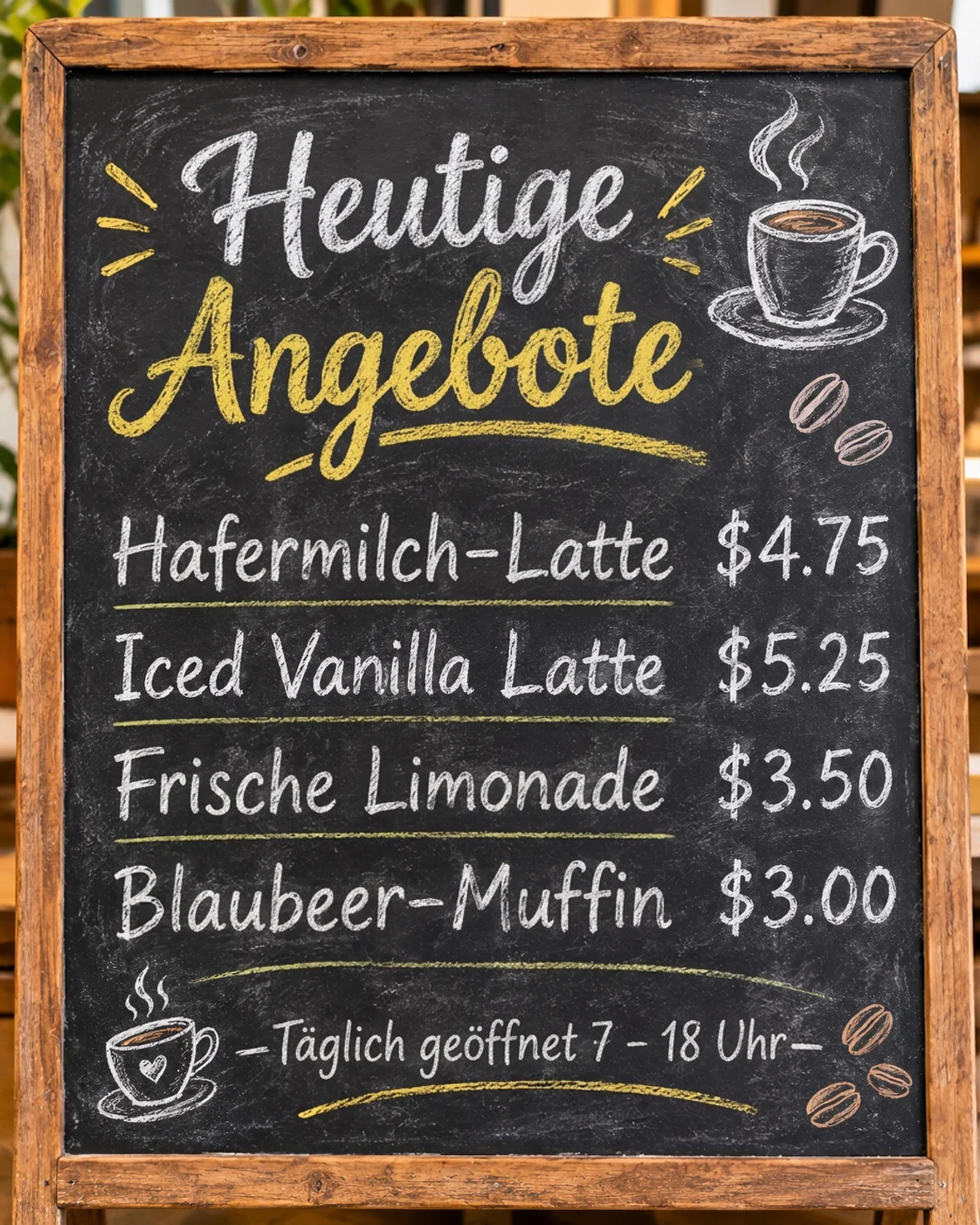
Prices stay in dollars
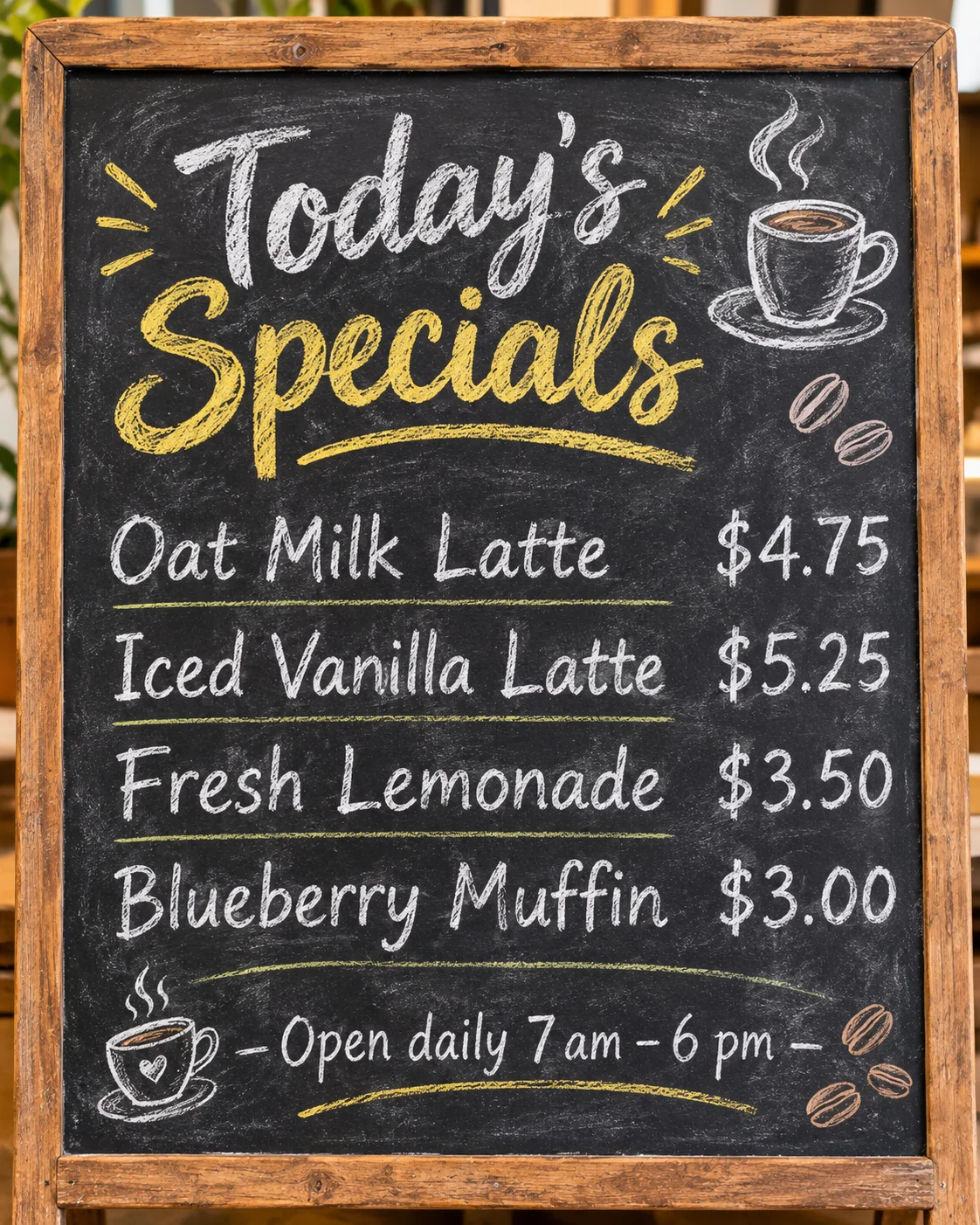 BeforeAfter
English → German
The chalk lettering is redrawn in German. The prices are the original chalk, still in dollars, not converted to euros.
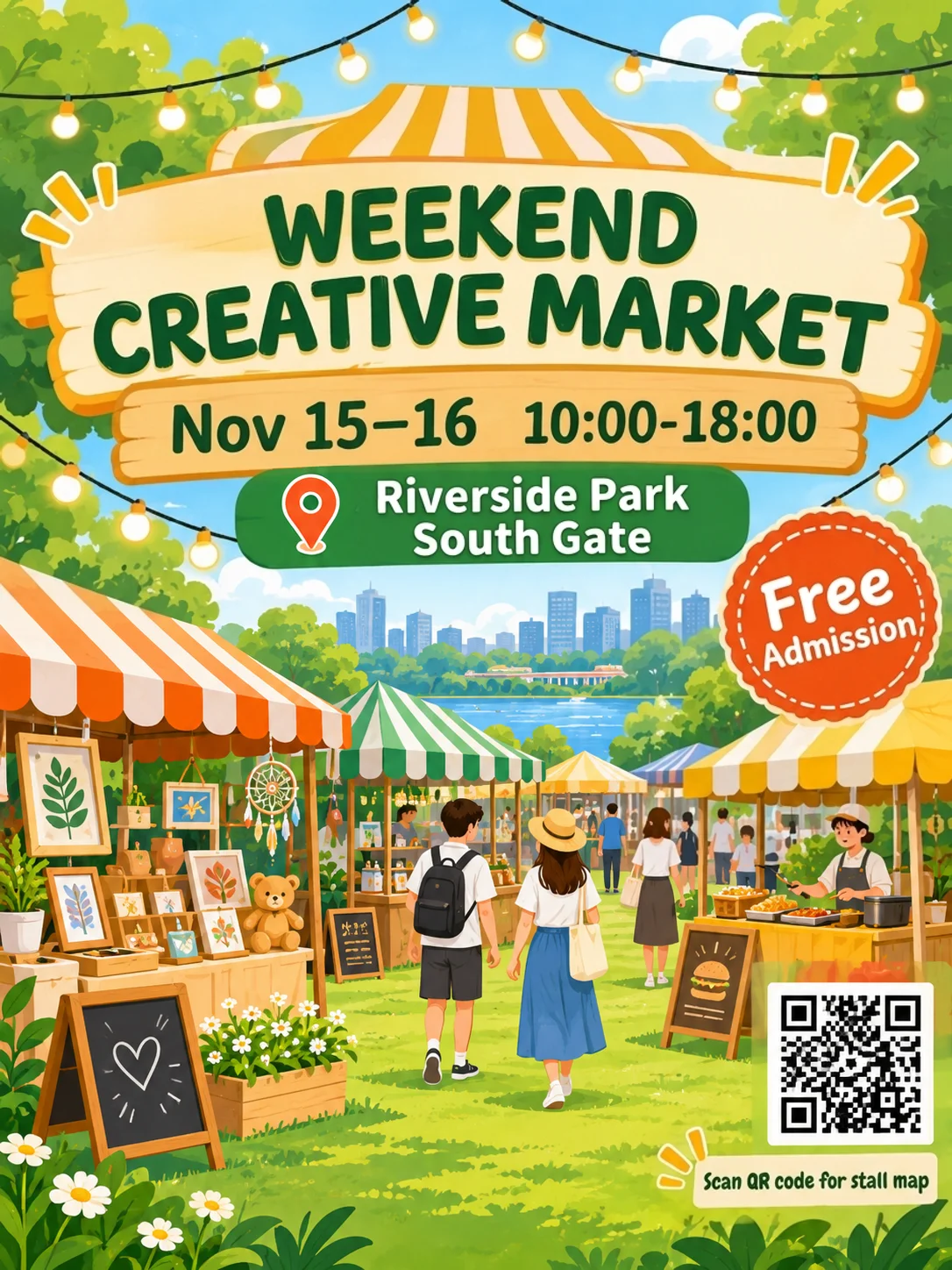
The QR code stays
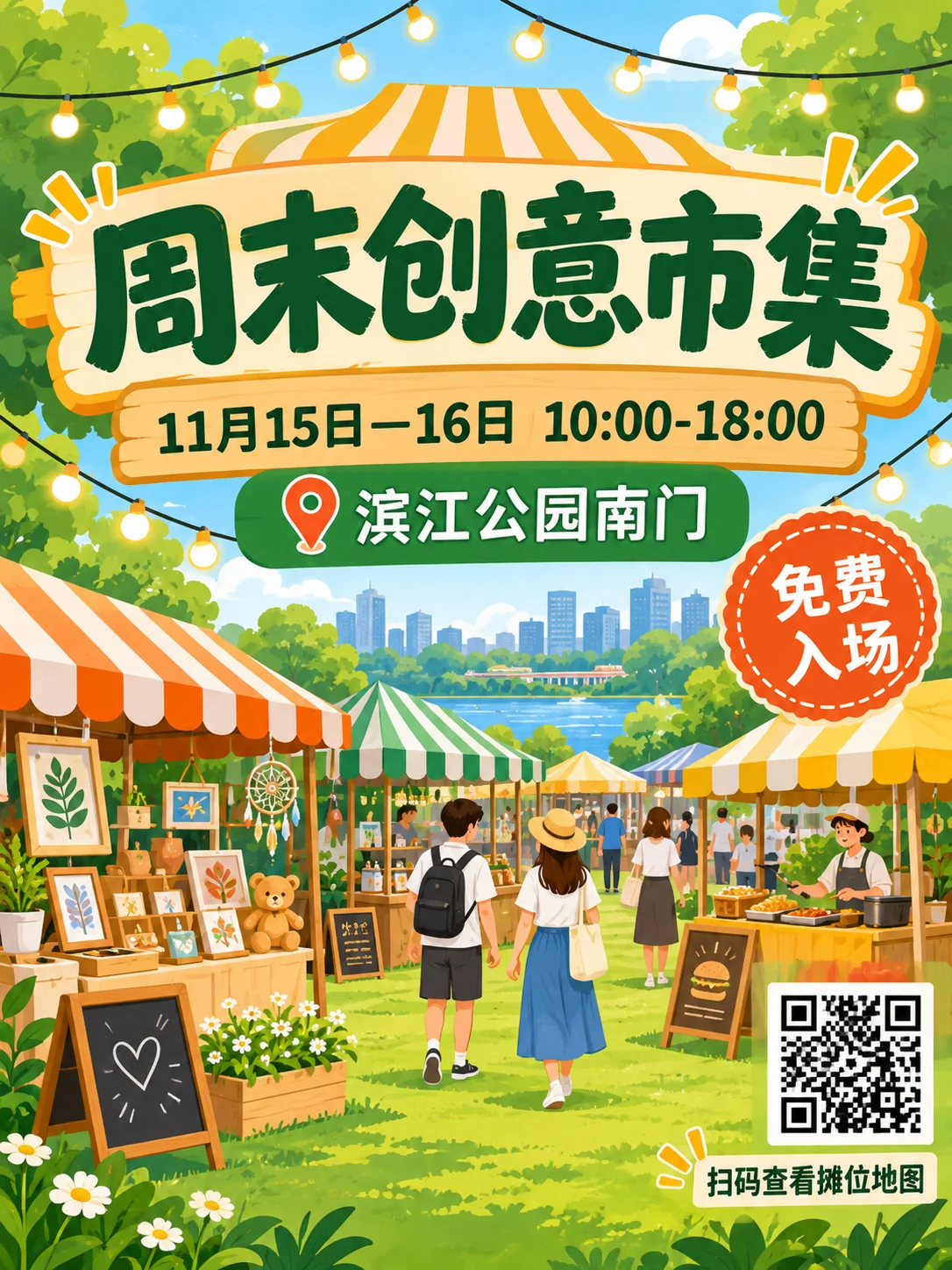 BeforeAfter
Chinese → English
The line under the QR code is translated. The QR code itself comes straight from your original, so it still points where it did.
Translate Text in Images Without Redesigning
What makes it different
An image translator built for images you already have and want in another language: product images, banners, posters, menus and signs.
- Every piece of text is listed with its translation. Edit either side, untick what should stay, or translate a line again. Finding and translating the text is free; you pay when you create the image.
- Prices, model numbers, brand names and text printed on the product are kept by default, and so are QR codes, barcodes and logos the scan marks. Those areas come back from your original image instead of being redrawn. Many image translators convert $ to € or retype a brand; this one doesn't unless you tell it to.
- The new text is drawn in a matching style: weight, color, size, handwriting or chalk texture, and the same position. Longer translations are set slightly smaller so they fit the space.
- Only the translated text areas change. The downloaded image keeps your original resolution and format; large images are made at 2K so the new text stays sharp.
- If a small line wasn't found, draw a box around it. The text inside is read and translated, and it joins the list like any other line.
- Finding the text and translating the list costs no credits; you only need a balance of at least 30. You pay when you create the image, and changing a line or the language before that is free too.
More AI Image Generators for Every Creative Idea
Unleash Creativity With Createimg.ai AI Image Generators
Explore a variety of AI image generators tailored to different creative needs. Whether you want to design shirts, make fun emojis, or create unique posters, these tools make it easy to bring every idea to life.
 New
Image Translator
 New
AI Color Changer
 New
Image Text Editor
 New
Photo to Coloring Page
 New
Image To Prompt
AI Age Progression
AI Sticker Generator
AI Thumbnail Generator
 Hot
Image To Image
 Hot
Text To Image
Explore Cutting-Edge AI Models
AI Models — Powerful Image & Video Generation Tools
Explore advanced AI models for high-quality image and video creation. Discover powerful generation and editing technologies that enhance your creative workflow and bring your visual ideas to life with ease.







How to Translate Text in an Image
Three steps
Translate text in an image in three steps, from upload to a finished picture you can download.
Upload your image and pick a language
Use a PNG, JPG, WebP or HEIC up to 20 MB and choose one of 31 languages. Click Find and translate the text; it takes about half a minute and is free.
Check the list
Read each line and its translation. Edit anything, untick text that should stay as it is, and draw a box around any text the scan missed.
Create and download
Pick a model and create the image. Compare before and after, zoom into each line, and download it at its original size.
Image Translator FAQ
Questions people ask
What kinds of images can I translate?
The image translator works best on images with clear printed text: product photos and product detail images, ads and banners, posters, menus, signs and screenshots. Dense documents, handwriting, small vertical text and comics are not a good fit yet.
Is this an image text translator, or does it only read the text?
It is an image text translator that gives you a finished picture, not a block of text. It reads the text in your image, translates it with the whole image as context, and redraws the image with the translation in place, ready to download and post.
Which languages are supported?
You can translate into 31 languages, including English, Chinese, Japanese, Korean, Spanish, French, German, Portuguese and Arabic. The original language is detected for you. We have checked English, German and French most closely, so look over results in other languages before you use them.
How much does it cost?
Finding and translating the text is free, but you need at least 30 credits. Creating the image costs 40 credits with Nano Banana 2.1 (60 for images over 1.6 MP) or 30 with GPT Image 2 (50 for large images); paid plans currently pay less for Nano Banana 2.1, and the exact price is shown before you create. If it fails, your credits are returned. Editing the lines and creating the image again costs again.
Will it change my prices, brand names or QR codes?
No. Prices, model numbers, brand names and text printed on the product are kept, and so are QR codes, barcodes and logos the scan marks; those areas are put back from your original image. Check the zoomed views after it's made. If you do want a brand name translated, tick it in the list.
Do I need to check the translation?
Yes, please read the list before you create the image. The translation uses the whole image as context, but names of places, shops and products can be translated or kept either way, and only you know which is right. You can edit every line.
Will the font look the same?
The new text is redrawn in a matching style, not with the original font file, so letters can differ slightly. If a translation is much longer than the original, it is set smaller; shorten it in the list if you want bigger letters.
How is this different from Image Text Editor?
Image Text Editor changes one short piece of text that you box and type yourself, in the same language or any other. Image Translator finds all the text in the image and translates it into another language in one go.
What file formats and sizes work?
PNG, JPG, WebP and HEIC up to 20 MB. The translated image keeps the size and format of your original.
Powered By


Translate your image now
Try the AI image translator: upload an image, pick a language and check every line before it's made.